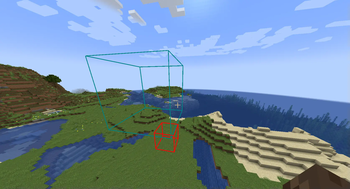
Create areas using /area create
For example /area create <id> box ~ ~ ~ ~5 ~5 ~5 creates a 5x5x5 box area
Some built-in properties, such as color and priority can be changed using
/area modify <id> <property> <value>
Components can be set and removed using
/area modify <id> components (set|remove|get|copy_from) ...
You can create union areas using
/area create <id> union <...areas>
Adding additional dependencies can be done using
/area modify_composite <id> add <dependency>
Similarly, dependencies can be removed by running
/area modify_composite <id> remove <dependency>
To completely delete an area use
/area delete <id>
To check which area you are currently in, use
/area query
Note that these areas don't do anything by themselves, but require additional mods that can implement specific functionality for them. For example area-tools adds various area related tools using this library
Partial documentation is available here