

Screenshot from Goodboy 0.40.1





Goodboy runs coding agents side by side on your own repositories, one session for each goal. It is a desktop app for macOS and Linux.
Features → Privacy Install Run from source Documentation Contributors Support
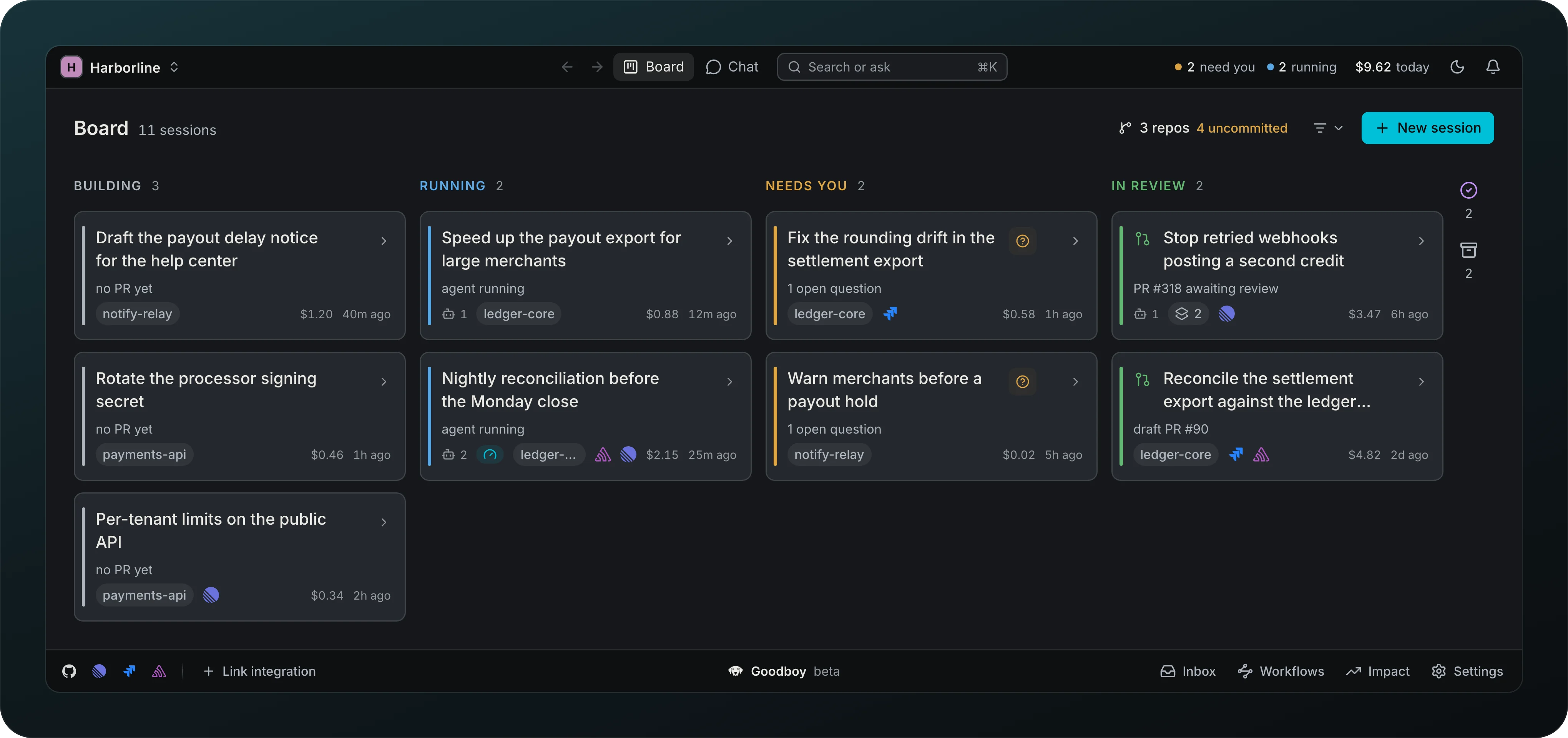
Every task is a session, and the board shows where each one stands. What waits on you sits on top, one card per session, and a click opens it where it waits. Below, five lanes, Building, Running, In review, Done and Archived, hold the rest, and a session moves to the lane that matches what is happening in it. In review merges the pull requests that are ready, in order.
Screenshot from Goodboy 0.40.1
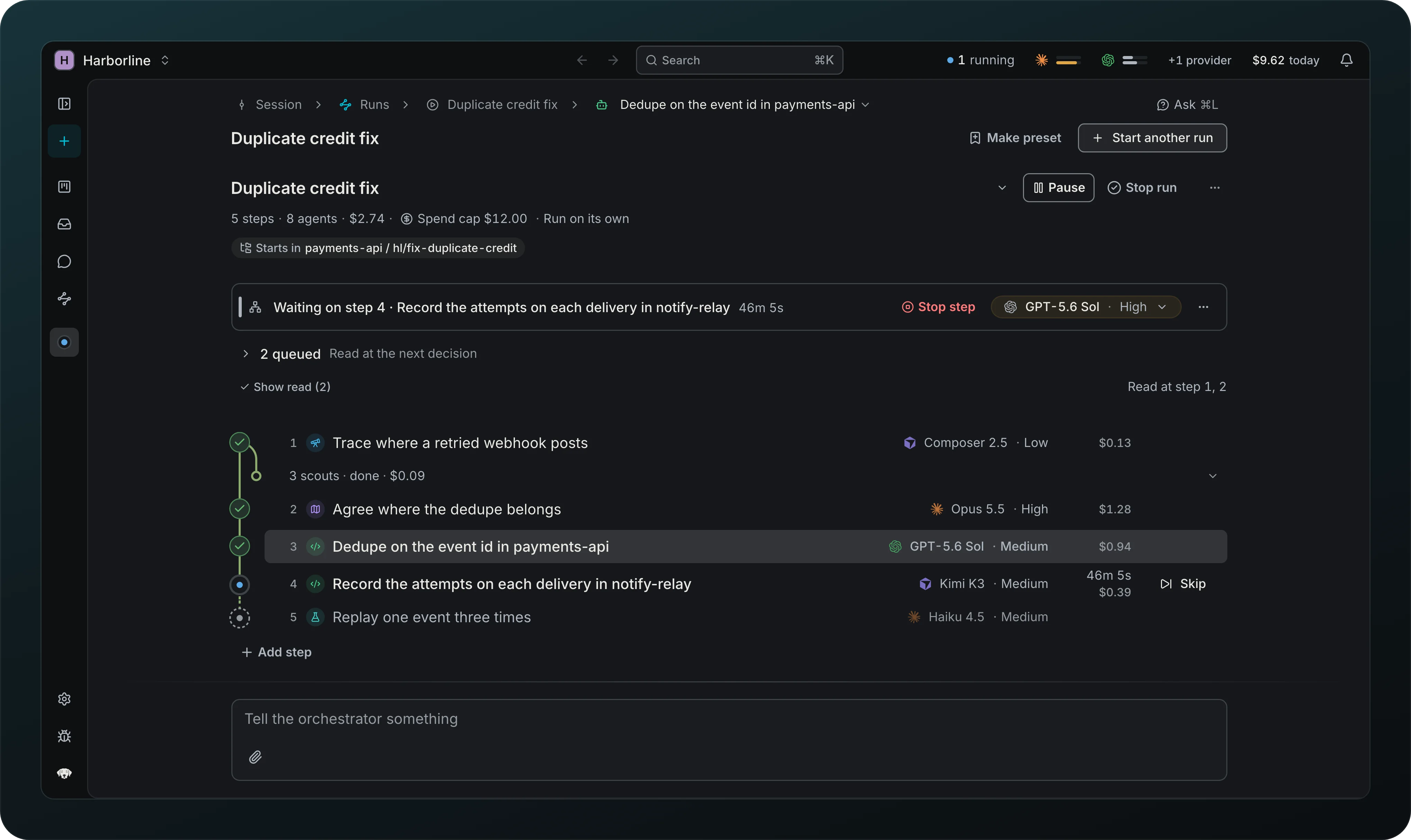
A workflow splits a task into steps, such as scout, plan, implement and review. Each step is its own agent with its own role, model and effort, and it starts from a short brief. You choose how much it asks you and how much it may spend.
Screenshot from Goodboy 0.40.1
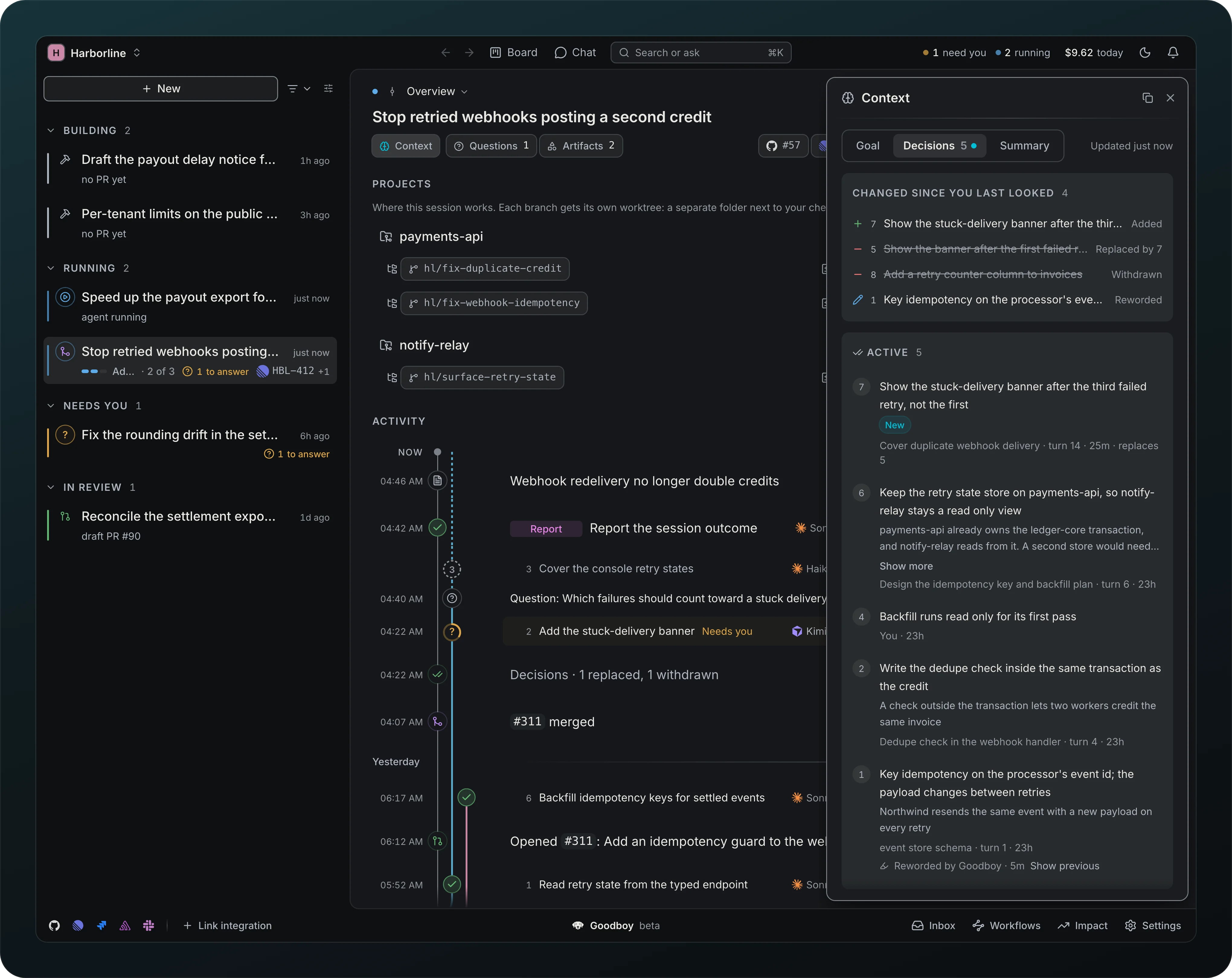
What one agent learns, the next one reads. The goal, decisions and a running summary travel with the session, so a new agent starts informed and nobody tells the story twice.
Screenshot from Goodboy 0.40.1
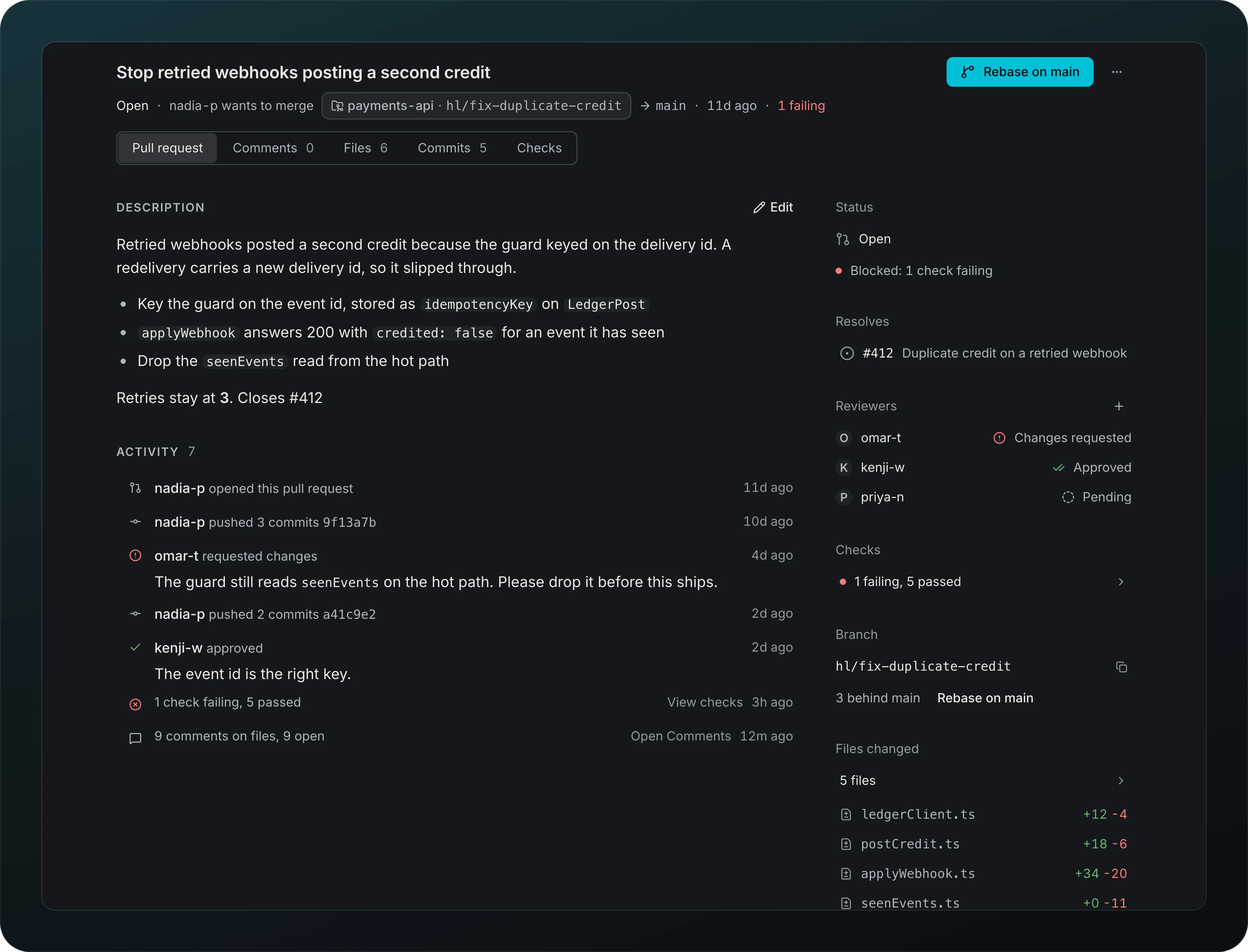
The Branch page holds one branch: its pull request, review comments, changed files, commits and checks. Check the comments you want and press Fix, and an agent turns them into commits in its own copy of the branch. Nothing leaves your machine until you push. It works on GitHub, GitLab and Bitbucket.
Screenshot from Goodboy 0.40.1
Ask about your repos without starting a session. Chat reads every project and never changes a file. When an answer is worth acting on, Start work from chat starts a session from it.
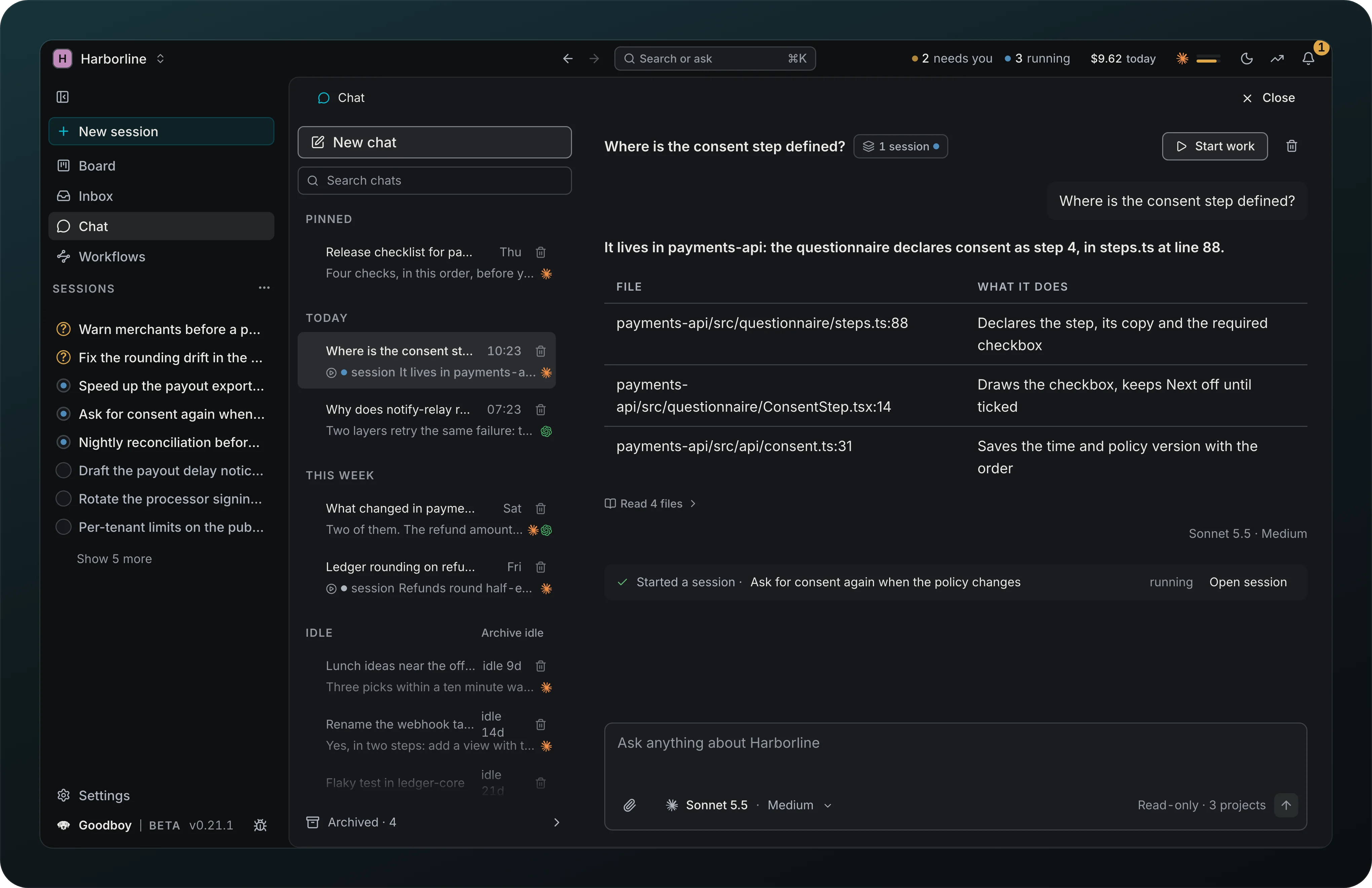
Screenshot from Goodboy 0.40.1
The feature guide lists the main features of each area, with a page per area for the rest. goodboy-ai.dev tells the same story in a minute.
- Tasks, decisions, settings and usage records stay on your computer, in
~/.goodboy - Prompts go to the provider you chose
- Tool keys go in your system credential store
- No account, and no Goodboy server
What leaves your machine lists every request Goodboy makes.
On macOS, with Homebrew:
brew install --cask akhayam99/tap/goodboyOr pick a package from the latest release:
- macOS: the
.dmg, then drop Goodboy in Applications - Linux:
AppImage,.debor.rpm
Goodboy runs the agents you already pay for: Claude, Codex, Cursor and five more. You sign in to each from the app, or paste its key, and keys stay in your system credential store.
You need Node 22 or newer, pnpm 10.33.4 and a Rust toolchain.
pnpm install
pnpm tauri:dev
pnpm tauri:buildproduces a production build- The Tauri prerequisites list the platform packages
- The desktop notes cover the local loop
Start with the page for what you want to do:
- Your first task: from install to a merged pull request
- Concepts: sessions, workspaces, projects and how they fit
- Providers: installation and sign-in for each one
- Workflows: steps, the orchestrator and hands-free runs
- Keyboard shortcuts: every chord, by area
- Where your data lives: what stays on your computer and what leaves it
- Query bridge: how agents read from your tools
- Walkthroughs: fix a failing check, comment on a plan, review with comments in place
Working on Goodboy? Start at the contributor map, then read Architecture.


The best support is using it.
- Run it on your real work
- Press ⌘I in the app when something feels off, or you have an idea
- Open an issue
- Send a pull request
- Leave a star if it earns one
