


Jump to: Quick start · Everyday use · Configuration · Pi integration · Troubleshooting · Reference · Extend Pilish · Development

Pilish is an Emacs frontend for Pi, an open and extensible coding agent. A session uses two windows. The conversation renders as Markdown in the top window, and you compose your next prompt in an ordinary Emacs buffer in the bottom one.
Because the prompt is a normal buffer, your editing habits apply directly. Write multi-line prompts, paste from other buffers, use the kill ring, keyboard macros, registers, spell checking, Evil, and anything else your setup gives you. You can keep writing while the answer streams in above, and scroll, search, and copy from previous output with the keys you already use everywhere else.
Pi’s terminal UI and Pilish use the same pi CLI. Your model
providers, sessions, skills, and prompt templates carry over unchanged.
Pi extensions work with basic UI support. See Extensions and dialogs
for the supported features and limits.
- Emacs 29.1 or later, built with tree-sitter support
- Node.js 22.19 or later for the Pi CLI
- pi coding agent
@earendil-works/pi-coding-agent@1.1.0or later, installed and inPATHon the host where Pi runs - Pi CLI authentication: a provider API key, or a one-time
/loginrun in a terminal (see below) - Git and a C compiler if Emacs needs to download and build tree-sitter grammars; preinstalled compatible grammars do not need this build chain
Upgrade older Pi installations before using Pilish, for example with
npm install -g @earendil-works/pi-coding-agent@latest.
# Install the pi CLI
npm install -g @earendil-works/pi-coding-agent

# Or with mise
mise use -g npm:@earendil-works/pi-coding-agent@latest

# Authenticate the CLI: either set a provider API key (see below), or
# run `pi` interactively in a terminal and type `/login`.
Pi authenticates in one of two ways:
- Subscription or API key via
/login:/loginis interactive and unavailable from Emacs, so run plainpionce in a terminal and type/login. You can then pick a subscription such as ChatGPT Plus/Pro, or choose a provider and enter its API key. Credentials are stored in~/.pi/agent/auth.jsonand auto-refresh, so later Emacs sessions pick them up automatically. - Provider API key, no terminal login: export a provider
environment variable, for example
export ZAI_API_KEY=..., or add an entry to~/.pi/agent/auth.json. Pi supports many providers including DeepSeek, OpenAI, and Z.AI. See the providers documentation for the full set and its environment variables.
Either way, your provider bills usage per token, or your subscription covers it.
Install from MELPA. MELPA alone does not
resolve every dependency. Its transient build needs
compat ≥ 31.0, which is only published on
GNU ELPA, so add GNU ELPA as a second
archive before installing:
(require 'package)
(add-to-list 'package-archives '("melpa" . "https://melpa.org/packages/") t)
(add-to-list 'package-archives '("gnu" . "https://elpa.gnu.org/packages/") t)
(package-refresh-contents)
Then install:
M-x package-install RET pilish RET
Already using pi-coding-agent? See
Migrate from pi-coding-agent.
Install with use-package
After the archive setup above, use:
(use-package pilish
  :ensure t
  :init (defalias 'pi 'pilish))
On a fresh Emacs installation, run M-x package-refresh-contents once
before restarting if the archive index is not already downloaded.
The use-package keyword :ensure t can install pilish only after
that index is available.
If the menu reports an old transient after installation, see
Emacs loads an old transient.
Pilish approves projects by default, so project-local .pi resources
are active immediately. A trusted project’s .pi/mcp.json can start
configured server programs in the background with Pi’s permissions.
Read Project trust and security before starting Pi in
an unfamiliar project.
- Run
M-x pilishin the directory of a project you want to work on. - On first start, accept the offer to install the tree-sitter grammars
needed for Markdown rendering. This one-time step needs Git and a C
compiler (
gccorcc). - Type
explain what this project doesin the bottom window and pressC-c C-c.
Pilish opens the chat and input windows. Your text appears under a
You heading, and Pi’s reply streams in under Assistant. The header
line at the top of the chat tracks the model, activity phase, cost, and
context usage while Pi works.
For startup failures, see No models are available, Emacs cannot find pi or node, or Tree-sitter grammar installation fails.
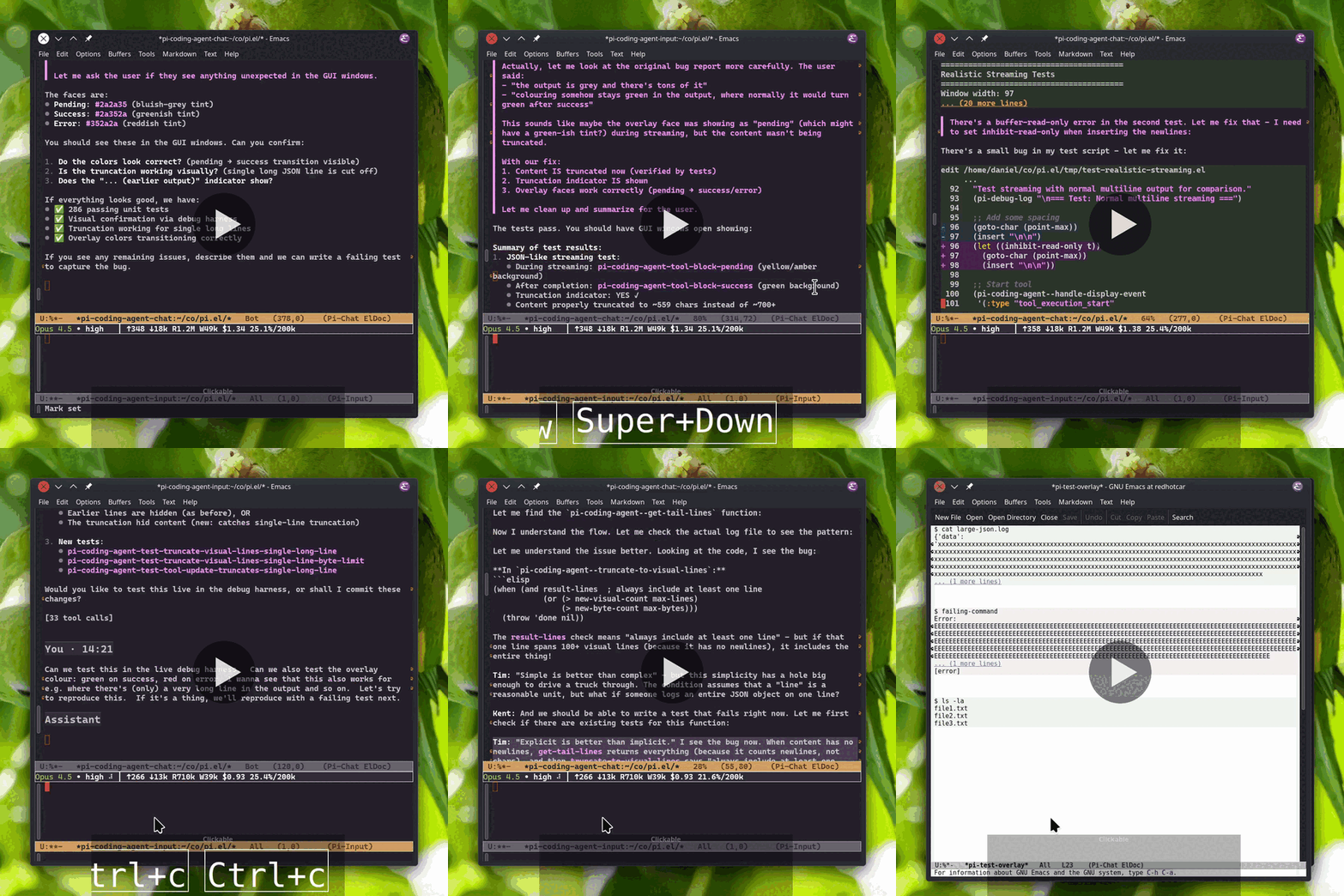
Video music: “Electrodoodle” by Kevin MacLeod (incompetech.com), licensed under CC BY 4.0.
Write prompts in the bottom input window and read replies in the top chat window. You can keep writing while Pi replies.
Use your usual Emacs editing commands in the input buffer.
Type / then TAB to complete slash commands, including built-in
commands and Pi commands such as prompt templates, skills, and extension
commands. Use TAB to complete file paths such as ./, ../, and
~/. Absolute paths complete too, except for a bare / at the start
of the buffer, where slash-command completion wins.
Type @ at the start of the buffer or after a non-alphanumeric
character to search project files and insert a file reference. Project
file completion respects .gitignore in a Git repository. An @ in
text such as an email address does not trigger completion.
Use M-p and M-n to move through prompt history. Press M-r to
search prompt history incrementally. The command is also available as
M-x pilish-history-isearch-backward. After accepting a recalled prompt,
M-n moves through newer entries and then restores your unfinished draft;
C-g during the search instead restores the text present when the search
started.
C-r and C-s keep their ordinary Emacs meaning: incremental search
within the current draft, never prompt-history recall. When Pilish loads
or resumes a session, the saved user prompts join the history commands
automatically.
Press C-c C-c (M-x pilish-send) to send. If Pi is already working,
the same key queues a follow-up for delivery when the current turn
finishes. Press C-c C-s (M-x pilish-queue-steering) while Pi is
busy to steer it after the current tool call. M-RET
(M-x pilish-queue-followup) always queues a follow-up while Pi is busy
and sends at once when Pi is idle. Press C-c C-k
(M-x pilish-abort) to abort the current response or compaction.
To make C-c C-c steer while Pi is busy, like Enter in Pi’s terminal
UI, set pilish-send-while-busy to steer. See
Prompt queues and run status for delivery rules and
exceptions.
The header line shows the model, thinking level, activity, cost,
context usage, session name, and any extension status or attached image.
Click the model or thinking level to change it. The queued N count
shows known pending messages, with follow-up and steering previews on
hover. See the queue reference for its limits.
The chat renders Markdown with syntax highlighting for code, file operations, and edit diffs. Commands stream their output live, and long tool output collapses to a preview. Wide pipe tables wrap to fit the window without changing the Markdown text. Images appear inline in graphical Emacs and as type-and-size placeholders in terminals.
Click a left-margin caret or press TAB in a section to expand or
collapse tools, completed thinking, startup details, or browser rows.
Press TAB on a You or Assistant heading to fold a whole turn.
Tool arguments appear in the header or on separate rows and fold
independently of output. Expanded shell commands have syntax
highlighting. Carets are not copied with text.
While composing, page through the chat without leaving the input buffer.
M-<prior> and M-<next> (M+PageUp and M+PageDown) scroll the
linked chat. If your terminal does not send those keys, use C-M-v and
C-M-S-v.
When Pi returns control, a right-aligned receipt such as Returned
2026-11-01 20:43 · Took 45m 12s appears beneath the completed run. It
also appears after aborted or failed runs. See Return
receipts for timing and reload behavior.
Press RET on a file-content row, plain path, or local Markdown link
label to visit the file. Press ! to run a shell command on the file,
or w to copy its shell-local path. C-u RET flips the window choice
for one visit. See File and command actions for the
exact target and command rules.
Use n and p to jump between user messages in the chat, and f to
fork from the turn at point. To inspect a completed reply, thinking
block, or tool block, place point on its text and press C-c C-p d.
C-h . shows details in the echo area. See Inspect
output blocks for the available metadata.
Press C-c C-p a i to attach one image. Select a file or paste its
path into the file prompt. Attaching another image replaces the first,
and C-u before the i clears it. The header shows the attached name
and size.
Send the image with a nonempty ordinary prompt while Pi is idle and a vision-capable model is selected. PNG, JPEG, GIF, and WebP images are recognized by content rather than extension. The default source limit is 3 MiB. See Images for inline display, remote reads, and all safety and size limits.
Subagents that publish structured progress show each running leaf’s
task title and agent along its ancestry, followed by its activity, age,
turn count, and context usage when available. The preview keeps the last
five visual lines. Ages refresh once per second. After 45 seconds
without activity, quiet 45s replaces the age. Customize
pilish-subagent-quiet-after-seconds to change that threshold.
Silence alone does not mean the child is stuck. Older producers keep
their ordinary text preview. Both subagent and subagent_resume show
elapsed time while running and recorded execution time when available.
For codemode, the script, call list, parent output, and child
outputs fold independently inside the parent tool block. Reload and
resume retain saved child-call summaries, not child outputs.
Tool results can include a Pi sessions tree with invocation ancestry,
turn counts, context usage, and links to saved chats. See
Subagent result trees for the display and
producer-version rules, and Open saved conversations to
open a link.
Click a generated Pi session link or press RET on it to open a
read-only snapshot in another window. Use C-c ] and C-c [ to reach
the next or previous visible link. Each open creates an independent
observer with no live session controls.
To open a Pi-v3 JSONL file directly without starting or resuming Pi, run:
M-x pilish-view-session-file
This also creates an independent read-only observer. A selected symlink whose target lies outside its own directory is refused.
Snapshots do not update automatically. Press g or run
M-x revert-buffer to refresh from disk. A failed refresh keeps the
last good view and shows a stale note until a later g succeeds.
Press q to close only that snapshot. Reads and rendering are
synchronous, so large saves and TRAMP reads can block Emacs. See
Saved-conversation observers for refresh, identity,
and missing-file behavior.
To resume a file as a live session instead, use =pilish-open-session-file=.
Each project directory gets its own session automatically. Run
M-x pilish again from a Pilish buffer to restore missing windows
or focus the input window when both are visible. M-x pilish-toggle
hides and shows the session windows in the current frame.
For multiple live sessions in one directory, use C-u M-x pilish
and enter a name. This names the Emacs buffer pair, not the saved
session. Rename the saved session with C-c C-p N or /name.
Tree navigation keeps alternate branches in the same session file.
Forking with C-c C-p f (/fork, or Pi’s /clone) creates a new
file whose header points back to the original. The two sessions are
independent. The session browser groups these files into fork families.
When context fills, use C-c C-p c to compact the older conversation
into a summary. Pi can also compact automatically. The header changes
face as context usage crosses the configured warning and error
thresholds.
Open the session browser with C-c C-r, /resume, or
M-x pilish-session-browser. It reads saved sessions from disk, so
browsing, searching, renaming, and deleting work without a live Pi
process. Press RET to switch sessions, r to rename, g to
refresh, ? for the menu, and q to hide the browser.
If the selected session is already live in this Emacs, RET displays
its existing chat and input without resuming it again. Otherwise,
Pilish resumes the selected file through the chat that opened the
browser.
By default, the browser shows this project’s sessions in Threaded
(fork families) view. Press t to toggle All projects. Press s
to cycle through fork families, Recent activity, and Most messages.
Use / to search names and saved user and assistant text, including
inactive branches. Search tokens are whitespace-separated regexps
that must all match. Submit an empty query to clear the search.
Press f to toggle between all sessions and named sessions only.
A ● marks sessions with a live Pilish process in this Emacs. Neither
the marker nor the deletion guard sees sessions running in another
Emacs or a terminal. Check those yourself before deleting a session.
d deletes a closed session after confirming its title, project,
and whether Emacs moves it to trash or deletes it permanently.
Child forks are not deleted.
See Session browser views, search, and deletion for archive locations, view ordering, search scope, and the complete deletion rules.
Open the tree browser with C-c C-p w, or Context w in the menu.
It shows the session’s saved conversation tree. @ marks the
current entry and * marks its active ancestors. Press RET to
continue from the selected turn in the same session file. RET on
@ changes nothing.
If continuation would replace an unsent text or image draft, Pilish asks first. Decline to keep both text and image and cancel the continuation before any file rewrite or resume.
Press f to cycle filters, or ? to choose any filter directly.
The default hides tool results. Use / to search and l to set or
clear a node label. Press g to read the last saved state from disk.
Display and refresh work offline, but continuation from a historical
turn needs the linked live, idle Pilish process.
See Tree navigation and draft protection for the node-specific continuation table and all race safeguards.
To open an existing Pi JSONL session file as a live Pi session in the normal chat and input UI, run:
M-x pilish-open-session-file
In Dired, the command defaults to the regular file at point. From a
buffer visiting a local readable .jsonl file, it defaults to that
file. This differs from pilish-view-session-file, which opens a
read-only observer without starting Pi.
You can save the chat buffer like any other buffer to keep a Markdown
transcript on disk. Saving does not interrupt or replace the live Pi
session. For a shareable export, use HTML export from the menu
(C-c C-p e) or run /export.
| Key | Context | Action |
|---|---|---|
C-c C-c | input | Send, or queue a follow-up while Pi is busy |
M-RET | input | Always queue a follow-up while Pi is busy |
C-c C-s | input | Steer while Pi is busy |
C-c C-k | input, chat | Abort the current response or compaction |
TAB | input, chat | Complete in input; fold a section in chat |
C-c C-r | input, chat | Browse saved sessions |
C-c C-p w | input, chat | Browse the conversation tree |
C-c C-p | input, chat | Open the full transient menu |
The transient menu also contains model settings, skills, prompt templates, and extension commands. See Keybindings for the complete main-buffer, browser, and snapshot tables.
Inspect the whole customization group with:
M-x customize-group RET pilish RET
The examples below use setopt. You can also set options through
Customize. Less common examples are collected under
Additional customization examples.
To define a shorter command name, use:
(defalias 'pi 'pilish)After that, M-x pi starts or focuses the current project’s Pi session.
Here are some common non-default preferences:
;; Collapse completed thinking in new chats; live thinking still streams:
(setopt pilish-thinking-display 'hidden)

;; Make the input window 25% of the session's window pair;
;; rebalanced on frame resize:
(setopt pilish-input-window-height 0.25)

;; Or fit the draft in every session, up to 30% of the window pair:
;; (setopt pilish-input-window-height 'fit)

;; When Pi returns control, show its final answer from the start:
(setopt pilish-jump-to-answer t)

;; Copy source Markdown from the chat buffer instead of only visible text:
(setopt pilish-copy-raw-markdown t)

;; Request the native same-window opener for chat file targets;
;; use C-u RET to invert this request for one visit.  Emacs display policy
;; may redirect final placement:
(setopt pilish-visit-file-other-window nil)
With fit, the input starts at one text line, grows as you type, and
shrinks after sending. pilish-input-window-max-height sets its cap.
It also works with either hide-after-send style below.
Choose one of three input window display styles:
;; Keep both windows visible whenever the session is shown (the default):
;; (setopt pilish-input-window-display 'always)

;; Show the input pane when a session launches and while composing;
;; hide it after each send and press i in the chat window to reopen it:
(setopt pilish-input-window-display 'on-demand)

;; Start sessions with only the chat window visible; press i in the
;; chat window to open the input on demand and have it hide again after
;; each send:
;; (setopt pilish-input-window-display 'hidden)The session header line sits at the top of the chat window by default. Put it back above the input window, as in earlier Pilish versions, or remove it entirely. Removing the header also removes the inactivity warning, which appears nowhere else:
(setopt pilish-header-line-location 'input)
;; or, for no session header line at all:
;; (setopt pilish-header-line-location 'none)
Changing the option moves the header line in existing sessions too; model, thinking, activity, cost, context, queue, session name, extension status, and image details all follow it.
New browser buffers use these options for their starting state. A hidden browser keeps its toggled state when reopened. Killing the buffer or rerunning its major mode initializes it from the current defaults.
(setopt pilish-session-browser-default-scope 'all)
(setopt pilish-session-browser-default-view 'recent)
(setopt pilish-session-browser-default-named-only t)
(setopt pilish-tree-browser-default-filter 'default)
The scope accepts current or all. See
the session browser reference and
the tree browser reference for the available views and
filters.
Optional Evil keybindings ship in pilish-evil.el, modeled on
how Evil and Magit cooperate. The read-only chat buffer starts in
motion state so navigation keys work, and the input buffer starts in
insert state. Press ? to open the transient menu. The integration
loads automatically when a session starts while Evil is in use.
To opt out, set this before loading the package:
(setq pilish-evil-integration nil)Chat buffer (motion state):
| Key | Action |
|---|---|
n / p | next / previous message |
f | fork session at point |
w | copy file path or link URL at point |
TAB | toggle tool/thinking section |
RET | open Pi session link or visit file |
C-c ] / C-c [ | next or previous Pi session link |
i / a | focus input (a goes to end of input) |
? | transient menu |
q | quit session |
Input buffer (normal state):
| Key | Action |
|---|---|
RET | send |
q | close input window |
? | transient menu |
Session and tree browser buffers start in motion state as well. Evil’s
j / k move line-wise. Magit’s section motions remain on n / p
(and M-n / M-p) and skip folded rows. TAB / S-TAB and ^ use
the browser folding and parent commands described in
Reference. In the session
browser, RET switches to the selected session. In the tree browser,
it continues from the selected turn. Every documented browser key is
rebound in motion state, including views, filters, folding, parent
motion, search, scope, rename, delete, refresh, dispatch, and RET.
The Evil and evil-collection keymap stack does not swallow them (Evil’s
motion state owns /, ? and the g prefix; evil-snipe’s f / t
are disabled in these buffers, mirroring the chat buffer’s f fork
binding).
Saved snapshot observers also start in motion state. Motion bindings
include RET, TAB, n, p, C-c ], C-c [, g to reread, and
q to close.
Setup also sets pilish-copy-raw-markdown buffer-locally in
chat buffers, so that yanking preserves code fences and markup without
changing the global default. Each part can be tuned independently
before loading:
;; Different initial states:
(setq pilish-evil-chat-state 'normal)

;; Open and focus the input window in normal state instead of insert
;; (press i to start composing, RET sends, q closes the window):
(setq pilish-evil-input-state 'normal)

;; Run the browsers in emacs state instead of motion:
(setq pilish-evil-browse-state 'emacs)

;; Keep copying only visible text instead of raw Markdown:
(setq pilish-evil-copy-raw-markdown nil)
User bindings made after pilish-evil-setup runs (e.g. with
evil-define-key or Doom’s map!) take precedence over these
defaults, and M-x pilish-evil-setup re-applies them after
changing options.
With evil-snipe, which Doom enables by default, its minor-mode keymaps
shadow the chat buffer’s f binding. Setup turns the snipe minor
modes off in chat buffers via evil-snipe’s mode hooks. This has the
same effect as magit-mode’s entry in evil-snipe-disabled-modes,
regardless of load order.
Fork stays on f, char-finding remains available on F, t, and
T, and snipe stays active in the input buffer. Set
pilish-evil-disable-snipe to nil to keep snipe active in
chat buffers.
Prompt templates are discovered from places such as
~/.pi/agent/prompts/, and skills from ~/.agents/skills/. The chat
header’s summary line shows the Pi and Pilish versions plus skill and
prompt-template counts. Expand it to see context files, skills, prompt
templates, and registered extension commands.
Resources are grouped by Project and User, with explicit paths and
unknown-scope resources kept separate. Names link to source files when
available, and descriptions help you choose what to run from C-c C-p.
TAB anywhere in the details collapses the summary.
Pilish approves projects by default. Pi does not show its project trust
prompt in RPC mode, so Pilish starts Pi with --approve and
project-local .pi resources are active right away. A trusted
project’s .pi/mcp.json can start configured server programs in the
background with Pi’s permissions.
Use pilish-project-trust-policy to change this behavior. Set it to
default to pass no trust flag and let Pi use its saved trust decisions
and defaultProjectTrust:
;; Let Pi decide project trust from ~/.pi/agent/trust.json
;; and its global defaultProjectTrust setting.
(setopt pilish-project-trust-policy 'default)
Set it to no-approve to pass --no-approve and ignore project-local
Pi files for Emacs sessions.
In pilish-extra-args, --provider requires --model. Pi exits with
an error if the model option is missing.
When the current project is a TRAMP directory, Pilish
starts the Pi CLI on the remote host. Install pi there.
Authentication and configuration are remote too. Run pi and /login
on that host, or set provider environment variables for the remote
process. Paths such as ~/.pi/agent/auth.json and absolute entries in
pilish-executable are interpreted on the host where Pi runs.
For Emacs to find the command on the remote host, its directory must be
in TRAMP’s remote search path. Emacs’s local exec-path is not used.
Use an absolute path in pilish-executable, or add the
executable’s absolute remote directory to tramp-remote-path:
(with-eval-after-load 'tramp
  (add-to-list 'tramp-remote-path "/home/you/bin"))
For remote executable failures, see Emacs cannot find pi or node.
Pilish has basic support for Pi extensions. Extension commands show up in slash completion and the transient menu, extension tools run normally, and extensions can use notifications, confirm/select/input prompts, multiline editor prompts, prefill the input buffer, and show status text.
Notifications show in the echo area, where the next message replaces
them. To keep extension warnings and errors in the chat as well, set
pilish-notify-in-chat to t. Their text appears literally, without
Markdown formatting. One that arrives while Pi streams a reply or
compacts appears after that output, before the run’s return receipt.
The notices are local buffer text, so visible copies and raw Markdown
saves include them. Pi does not save notifications, so reloading or
resuming the session omits them. Backend HTML export omits them too.
A multiline editor prompt opens a separate prefilled buffer without
changing your prompt draft or its major mode. Press C-c C-c to submit
or C-c C-k to cancel. Killing the editor, changing its major mode,
or stopping the session also cancels. Closing the editor or Pi exiting
restores the session windows; a mode change keeps the editor text buffer.
Rich TUI-specific extension UI is not supported in Emacs.
Custom widgets, custom editor components, custom headers and footers,
and other component-based views are unavailable or fall back. Hover extension
status text in the header line to see the exact statusKey, which you
can use to change the font for that extension’s status text using
pilish-extension-status-faces.
In Emacs, bare /mcp shows server status in the echo area.
/mcp login [server], /mcp logout [server], and
/mcp reconnect [server] work through Pi’s dialogs and notifications.
C-g cancels a dialog. Configure servers with pi mcp add,
pi mcp remove, and pi mcp list. Shell pi mcp login and
pi mcp logout also work without a session.
The rich server manager, tool browsing, exposure changes, and enable/disable controls require Pi’s terminal UI. See issue #346.
pi config controls which
built-in extensions load. Provider /login, including Radius setup,
still requires the terminal.
Pi connects enabled MCP servers in the background. The first prompt
may wait up to ten seconds by default for servers with direct tools.
Other startup work can keep the header waiting longer. Check
notifications in *Messages* and ~/.pi/agent/mcp.log for connection
problems. See
Pi’s MCP documentation for configuration details.
Authenticate the Pi CLI before expecting models to
appear. Set a provider API key, or run pi in a terminal once and use
/login. Then make the running session pick up the new credentials:
press C-c C-p R (or M-x pilish-reload) to restart the Pi process
without losing the conversation.
Pilish runs the command in pilish-executable, which defaults to
("pi"). If Emacs cannot find pi, install the CLI with the npm
command from Quick start on the host where Pi runs,
adjust the relevant search path, or customize pilish-executable.
To run Pi through npx without a global installation, use:
(setopt pilish-executable
        '("npx" "-y" "@earendil-works/pi-coding-agent@latest"))
If startup says something like env: node: No such file or directory,
Emacs found the Pi launcher, but that launcher uses /usr/bin/env node.
env searches the subprocess PATH, not only Emacs exec-path.
If you configure Node from init.el, update both:
(let ((node-bin "/home/you/.local/share/pi-node/node-v22.23.1-linux-x64/bin"))
  (add-to-list 'exec-path node-bin)
  (setenv "PATH" (concat node-bin path-separator (or (getenv "PATH") ""))))
For a TRAMP project, install and authenticate Pi on the remote host. See Remote projects with TRAMP.
Grammar installation needs Git and a working C compiler. Install
git and gcc or cc, then run M-x pilish-install-grammars.
If an old system Markdown grammar is loaded and tables render
incorrectly, remove the old libtree-sitter-markdown from
treesit-extra-load-path, your Emacs tree-sitter directory, or your
system packages. Then restart Emacs or run
M-x pilish-install-grammars. See Maintain
tree-sitter grammars for rebuild and pinned-recipe instructions.
After five minutes without output while Pi is working or compacting,
the header warns with text such as thinking (no output 5m). The
warning does not stop the operation. Quiet tools and healthy subagents
can work without output, so silence does not prove a hang. Idle and
sending sessions are not monitored. Hiding the input also hides the
warning when the header lives there.
pilish-session-inactivity-timeout defaults to 300 seconds. Set a
positive number to change the threshold, or nil to disable it:
(setopt pilish-session-inactivity-timeout nil)Hover the status for help. To stop the current operation and discard
queued continuations, press C-c C-k (M-x pilish-abort). See
Activity and inactivity timing for the exact clock
rules.
The default approve policy loads project-local resources. To use Pi’s
saved trust decisions or disable those resources, see
Project trust and security.
Emacs may load its bundled transient before the newer MELPA package.
If the menu complains about transient, set
package-install-upgrade-built-in to t, install or upgrade
transient, and restart Emacs. Add the GNU ELPA archive shown in
Quick start for its compat dependency.
The first valid, nonblank session search gathers full text from the
archive. Very large archives can pause Emacs during scanning. q
hides the browser without cancelling its scan. See
Session browser views, search, and deletion
for the search lifecycle and ways to narrow the listing.
The main buffers:
| Key | Context | Description |
|---|---|---|
C-c C-c | input | Send prompt, or queue follow-up if busy |
C-c C-s | input | Send steering message while Pi is busy |
M-RET | input | Send prompt, or queue follow-up if busy |
C-c C-k | input, chat | Abort current response or compaction |
C-c C-p | input, chat | Open the transient menu |
C-c C-r | input, chat | Browse sessions |
C-c C-p a i | menu | Attach or replace one prompt image |
C-u C-c C-p a i | menu | Clear the attached prompt image |
M-p / M-n | input | Prompt history (C-↑ / C-↓ also work) |
C-r / C-s | input | Search within the current draft |
M-r | input | Search prompt history; M-n restores draft |
TAB | input | Complete paths and / commands |
M-<prior> / M-<next> | input | Scroll the linked chat window |
TAB | chat | Toggle summary line, thinking, tool, or turn |
RET | chat, snapshot | Open Pi session link or file target |
C-c C-p v | chat menu | Show or hide Markdown markup |
C-c C-p d | chat menu | Describe a completed reply, thinking, or tool |
C-h . | chat, snapshot | Show native help or completed-block details |
C-c ] / C-c [ | chat, snapshot | Next or previous Pi session link |
g | snapshot | Reread this observer’s saved conversation |
q | snapshot | Close only this saved observer |
! | chat | Run shell command on file at point |
w | chat | Copy the file path or link URL at point |
n / p | chat | Navigate user messages |
i | chat | Open or focus the input window |
f | chat | Fork from the turn at point |
q | chat | Quit session |
C-c C-n | chat | New session |
C-c C-e | chat | Export session to HTML |
C-c C-c | chat | Compact conversation context |
C-c C-m | input, chat | Select model |
C-c C-t | chat | Cycle thinking level |
C-c C-y | chat | Copy last message |
The browsers:
| Key | Context | Description |
|---|---|---|
RET | sessions | Switch to selected session |
RET | tree | Continue from selected turn |
TAB | sessions, tree | Toggle this row’s fold, or its nearest containing fold |
S-TAB | sessions, tree | Fold all outer units (C-u S-TAB unfolds all) |
^ | sessions, tree | Family root / group heading / nearest visible tree parent |
n / p | sessions, tree | Next / previous visible flat section (skips folded rows) |
/ | sessions, tree | Search with regexp tokens |
s | sessions | Cycle view: Threaded (fork families), Recent activity, or Most messages |
t | sessions | Toggle This project / All projects scope |
f | sessions | Named sessions only |
f | tree | Cycle filters. ? offers all five directly |
r / d | sessions | Rename a session / delete a closed one |
l | tree | Set or clear a label on a node |
g | sessions, tree | Refresh |
? | sessions, tree | Browser menu |
The browser rows stay flat, so Magit’s recursive cycle bindings
(C-c TAB, C-<tab>, M-<tab>) and level keys (1 through 4 and
their Meta variants) are intentionally unbound.
The transient menu (C-c C-p) collects the full command set,
including submenus for skills, prompt templates, and extension commands.
Steering during an ordinary busy run arrives after the current tool
call and interrupts the remaining queued tools. During compaction or
while a run is settling, C-c C-s (M-x pilish-queue-steering)
instead queues a local follow-up, sent when Pi is ready for another
prompt. See Everyday use for the ordinary send,
follow-up, and abort keys.
queued N combines local follow-ups with queues whose contents Pi
has reported. An unreported backend queue contributes nothing to
the count. Follow-ups include text waiting for prompt acceptance.
The hover groups follow-ups and steering messages separately, with
backend follow-ups before local follow-ups in send order.
When Pi returns control, a quiet right-aligned receipt such as Returned
2026-11-01 20:43 · Took 45m 12s appears beneath the completed run. The
timestamp uses your local time. The duration starts when Pi starts the run
and stops when no automatic work remains, including tool calls, retries,
compaction, and continuations. The neutral receipt also appears after aborted
or failed runs. Receipts remain in the current transcript. They are transient
display observations, so rebuilding or reloading saved history omits them
rather than guessing from message timestamps.
Any nonempty parent stdout counts as output, including replies, repeated tool progress, and partial or malformed output. Stderr does not count. One sibling’s output keeps the shared clock fresh. Timing uses approximate wall time. Suspend, clock changes, or a blocked Emacs can shift it. Active sessions refresh the header once a second when Emacs can service its timers.
Timeout changes apply at the next header refresh. Reenabling keeps
the existing output age. The warning changes only the activity
status, uses Emacs’s warning face, and keeps the phase visible.
It never aborts, polls Pi, or changes session state.
New chat buffers inherit pilish-thinking-display. The
default is visible. Live thinking streams while the assistant is
working and remains expanded when that thinking block finishes. Use
C-c C-p h to change the current chat, or C-c C-p H to change the
default for future chat buffers in the current Emacs session. To make
that default persist across restarts, set
pilish-thinking-display in your init file or via
M-x customize-option.
Press TAB inside completed thinking or click its margin caret to
expand or collapse it. Live thinking cannot be collapsed. Completed
thinking with fewer than pilish-thinking-fold-min-lines non-blank
lines (default 3), such as a one-heading reasoning summary, always
stays expanded and has no caret: a stub would hide most of it while
saving at most a few rows. Lines longer than 80 columns count once per
80 columns, so one long paragraph still folds.
Pipe tables in the chat buffer are beautified as a display-only view.
Recent tables re-wrap automatically when the chat window width
changes. Older history stays frozen at its previous width to avoid
expensive whole-buffer redisplay on every resize. Tool blocks in
older history also lose their expand/collapse buttons and syntax
highlighting, keeping long sessions fast. Customize
pilish-hot-tail-turn-count to choose how many recent
You and Assistant turns stay live.
Prompt images are read and materialized when attached, and sent as
stored bytes without resizing or format conversion. Image-bearing
drafts can be sent only as direct prompts while Pi is idle. They are
not queued while Pi is busy, not used as steering messages, and not
combined with slash commands. A refusal preserves both the prompt
text and the image. The default source limit is 3 MiB
(pilish-prompt-image-max-bytes). Files are read by Emacs, so an
Emacs-readable path may use a file-name handler such as TRAMP. Pi
receives the encoded bytes, never the path. Remote reads depend on
the configured handler and are not broadly tested. Clipboard image
extraction, automatic detection of paths typed into the prompt, and
multiple attachments are unavailable.
Inline display: image content in sent user turns and completed tool
results renders inline in graphical Emacs and as a type-and-size
placeholder in terminals. Sent and returned images share the same
bounded renderer. Pi’s built-in read already returns raster images
as image content, resized to at most 2000x2000. For SVG, Pilish makes
a preview only from complete, standalone SVG text supplied by read.
Pilish never reopens the argument path, and text with obvious scripts
or external resources stays as text. Images in partial tool updates
appear when the final result arrives. Unresized prompt images and
custom tools can supply animated or highly compressed data whose
decoder cost is not bounded by the source-byte cap. See Additional customization examples for the
preview settings that bound what renders. A chat rendered before
any graphical client connects keeps its image previews: graphical
frames show the images and terminal frames show the labels without a
history reload. Resizing previews or applying a later extension
replacement may require a toggle or history reload.
While composing, you can page through the chat without leaving the
input buffer. Emacs’s built-in M-<prior> and M-<next>
(M+PageUp / M+PageDown) scroll the other window, and Pilish
registers the chat as the input buffer’s other-window-scroll-buffer,
so they scroll the linked chat. If your terminal does not send those
keys, C-M-v and C-M-S-v (the classic other-window scrolling
commands) work for the same reason.
A chat scrolled back to earlier text keeps its position when you send;
only a chat already at its end follows the reply. To return the chat
to its end whenever you submit a prompt, a steering message, or a
queued follow-up, set pilish-jump-to-end-on-submit to t. Input
keeps focus, and only chat windows in the current frame move. Typing,
refused or empty drafts, and automatic delivery of queued follow-ups
leave the chat alone, and a hidden chat stays hidden.
With pilish-jump-to-answer non-nil, a turn that ends normally moves
chat windows following the output to the start of the final assistant
message, the answer after the last tool call, so a long answer is read
from its beginning. This happens when Pi returns control, after the
return receipt. Windows where you scrolled elsewhere stay, and an
answer already visible together with the end of the buffer, receipt
included, moves nothing. Stopped turns, and turns followed at once by a queued
follow-up, do not jump. A window that is not shown when the turn ends,
such as one in another tab, lands when it is shown again. When the
next turn starts, a landed window whose point you left in place follows
the output again. M-x pilish-toggle-jump-to-answer toggles the
setting for the current session only.
To inspect a completed reply, thinking block, or tool block, place
point on its text. In a live chat, press C-c C-p d. In a
snapshot, run M-x pilish-describe-reply. Pilish selects *Help*.
Press q to return without quitting the session or closing the
snapshot. C-h . shows the same details in the echo area, with
native link and control help taking priority.
Reply details show the timestamp, provider, model, and message-level token and cache usage when available. Thinking details show line counts and, once the message finishes, its timestamp and provenance. Tool details can include a command or path hint and the saved result timestamp. Unfinished blocks, shared headings, and trailing separators have no block details. Block metadata does not appear on hover. Links, controls, session headers, browsers, and menus retain their own hover help. Reply stream durations and output rates remain approximate and live-only. Reload or resume drops these measurements. Tool execution times use Pi’s recorded durations when available, including in saved conversations.
Each tool result shows one inline Pi sessions tree below its output
preview. Recursive declarations retain invocation ancestry. A titled
row leads with its task title, linked when the chat has an available
first occurrence, with the agent label and any distinguishing suffix in
parentheses. Rows show turn counts and context
usage when declared; ? ctx means unknown context usage. Each saved
chat has one link at its first occurrence, on the title when present.
Later resume occurrences stay visible as plain text. Output folds do
not hide the tree. Older declarations without titles or stats keep
their original label-led rows. Titles, stats, and recursive trees
need pi-submarine 0.7 or later.
Completed subagent results include the producer’s Task: and
Ran N turns lines in the result body, with final stats in the tree.
These are the exact rules behind RET, !, and w in the chat buffer.
Outside Pi session links, RET opens one strict file target at point.
This can be a file-content row in tool output, a plain path reference,
or the label of a local Markdown link. Tool headers, fences, preview
hints, and other non-content rows do not open files. Plain locations
such as src/app.el:12:3 visit their one-based physical file line and
optional one-based column. A range such as src/app.el#L12-L20 visits
its first line only. If an explicit location is outside an existing
narrowing, the default widen-automatically policy widens the file.
Coordinates apply only to file-visiting buffers. Directory targets
retain native Dired point and marks. A target without a location keeps
the point, mark, and narrowing chosen by normal Emacs file visiting.
By default Pilish requests the native other-window opener. C-u RET inverts
pilish-visit-file-other-window for that visit, and Emacs display
policy may redirect the final placement.
! runs one strict file target through a shell command,
Dired-inspired. One command word followed only by
whitespace-delimited options beginning with - receives the quoted
target appended automatically, so wc -l and grep -n work as-is.
All other command text must place a textual isolated * where the
target goes, bounded by a space, tab, or string edge. This includes
ordinary arguments, compound or control syntax, and multiple lines.
Examples include grep -n TODO * and head -20 * | less.
A final whitespace-delimited & uses the usual asynchronous shell
output. Prompting and execution use a snapshot of the target session’s
local or TRAMP execution environment.
w copies the same shell-local path that ! operates on. Local
paths are absolute. Paths in remote sessions use the remote shell’s
namespace without an Emacs TRAMP prefix. Line, column, range, and
link-fragment metadata are excluded, and the kill-ring value is the
literal, unquoted pathname, so spaces remain spaces and no @ prompt
marker is added.
A Markdown link whose destination carries an explicit URL scheme copies
that URL instead of failing. [report](file:///tmp/report.md) copies
file:///tmp/report.md, and [repo](https://github.com/dnouri/pilish)
copies the web address, with mailto: and similar schemes treated the
same way. The URL keeps its percent escapes exactly as written, while
Markdown backslash escapes and angle quoting around the destination are
resolved. Activation follows the link label, like RET. Links with
fragment-only, protocol-relative, empty, or reference destinations, and
URL-looking text inside tool blocks, still have no copy target.
The archive is ~/.pi/agent/sessions/ by default, or
$PI_CODING_AGENT_DIR/sessions/, with a nonempty
$PI_CODING_AGENT_SESSION_DIR selecting one flat directory for local
projects, including the All projects view. Sessions saved by older Pi
releases can still be resumed.
The three views have these ordering rules:
- Threaded (fork families) groups sessions through the
parentSessionlink written by/forkand Pi’s/clone. Each parent appears above its children. Families are ordered by the latest activity anywhere in the family, newest first. - Recent activity orders flat rows by the session file’s modification time, newest first, under Future, Today, Yesterday, This Week, and Older headings. A late-night session moves to Yesterday at midnight. A future modification time groups as Future at the top. On Monday, last week reads as Older, but Sunday stays Yesterday.
- Most messages orders flat rows by the number of saved message records, tool results included, highest first.
All-projects rows begin with a bounded project token in a fixed-width
field, then the live marker, connectors, and session title. The
token uses the project directory’s name with a host prefix for remote
sessions (build-host:site). Projects with the same directory name
gain parent components until distinct (client-a/app and
client-b/app). Labels that cannot fit or distinguish use an
ordinal-front token (#ORD app with a compact base-36 ordinal).
A session run in / labels as /. Windows drive and UNC working
directories are recognized lexically. This-project rows have no token.
TAB toggles a row with displayed descendants. On a leaf, it toggles
the nearest containing fork ancestor or Recent group. S-TAB folds
all outer families or groups, and C-u S-TAB unfolds everything.
^ goes to the family root in Threaded or group heading in Recent.
Most messages and queried Threaded results have no fold target or
parent unit. Recent queries keep their time groups. Folds survive
rerenders and filter or search round trips, but are forgotten when
the corresponding session or group leaves the published snapshot.
n, p, M-n, and M-p use Magit’s flat section motion and skip
folded rows. Copying includes folded descendants.
Search results are flat, without family connectors. Queried Threaded results are newest-first. Most messages keeps its count ordering. Search covers names, first messages, and all saved user and assistant text, including inactive branches. It excludes thinking, tool arguments and results, images, and summaries. Legacy first-message fallbacks can still match text from any role.
Opening and refreshing gather listing metadata until the first valid,
nonblank search gathers full text asynchronously. Later searches reuse
that text. Refreshes and scope changes keep gathering full text until
the browser buffer is killed or its mode is reinitialized. Clearing the
query does not reset this policy. Very large archives can pause Emacs
during scanning. q hides the browser without cancelling its scan.
An empty listing or search result names up to two relevant keys when it
can be widened. t switches scope, f clears named-only, and an empty
/ query clears the search. An empty All-projects archive has no wider
scope and shows no action hint.
The confirmation follows delete-by-moving-to-trash. Unsafe title,
project, and child-name characters are sanitized or replaced. Long
metadata is ellipsized so the consequence stays visible.
Deletion acts on the selected archive pathname. For a symlink, Emacs removes or trashes the link, not its target. Live-session checks and child-fork matching use canonical alias identity. The prompt reports direct child forks from the full loaded archive snapshot, with their count and up to three short titles. Those files are not deleted. They appear as roots if the parent is absent elsewhere in the archive, and their descendants stay attached. Deletion does not cascade.
Pilish checks for a live session before and after confirmation, but
only sees Pilish processes in this Emacs. After confirmation it also
rejects an observed canonical retarget, such as a symlink that now
resolves to another target. These checks do not lock files. An
independent writer can replace a path without changing its canonical
spelling, or change it between the final check and delete-file.
Cancellation or a deletion error keeps the current browser snapshot.
Successful deletion refreshes it.
RET uses the selected projected node as follows:
| Selected node | What RET does |
|---|---|
The @ current projected position | Strict no-op before live-process, busy, transition, disk, or draft checks. Trailing projected-away bookkeeping does not change its identity. |
Historical user prompt or user-like custom_message with a parent | Continues from the parent and prefills the selected prompt text when available. If that parent is already current, this is prefill-only. Otherwise, Pilish rewrites the active path and resumes the same session file. |
Historical root user prompt or root user-like custom_message | Has no parent to continue from, so Pilish refuses and points to the chat’s fork command. A root prompt that is itself @ remains the strict no-op above. |
| Non-current assistant, tool result, branch or compaction summary, model or thinking change, or other node | Continues from that node itself by rewriting the active path and resuming the same session file. It applies prefill when the navigation target provides one. Most such nodes provide none. |
Before replacing nonblank text or an attached prompt image,
continuation asks Replace the unsent draft ...?.
Acceptance stays bound to the browser, linked chat, and session file
that opened the question. Pilish then rechecks the live session,
disk state, and target. If that browser dies or its chat or file changes,
navigation is cancelled. Pilish does not reinterpret the node ID in
a new tree. A same-file refresh remains valid.
If the draft changes while the question is open, Pilish asks about
the newer draft instead. If a newer nonempty draft appears during
later yielding file-handler work, Pilish keeps it and skips prefill.
Blank text with no image proceeds without a prompt. The @ no-op
never prompts. This check applies only when continuation would
replace a draft, not to every RET.
For a path-changing continuation, Pilish rewrites the active path in the same session file and resumes it. This does not lock out other processes. An independent Pi instance or external writer can race the final read and replacement. A TRAMP handler may yield or implement the replacement as copy-and-delete, so remote replacement is not guaranteed to be atomic.
Pi’s terminal UI can ask the model for a branch summary during tree
navigation. Pilish cannot offer that option over Pi’s current RPC.
Pilish displays saved branch_summary entries but does not ask a model
for a summary or run a hidden summary workflow during navigation.
On first load, point starts at the current projected entry or its
nearest visible active ancestor. It falls back to the first visible
row if no active-path row survives. A filter that hides the current
entry never marks an ancestor as @. Moving point yourself wins on
later refreshes. If a selected row disappears, point first tries its
nearest visible ancestor from the old snapshot, then the new active
path.
TAB folds a row with displayed descendants. On a leaf, it folds
the nearest displayed ancestor with descendants. S-TAB folds all
outer roots, C-u S-TAB unfolds everything, and ^ moves to the
nearest visible parent. Folds survive rerenders and filter or search
round trips, including when an ID temporarily disappears and returns.
They are pruned when that ID leaves the published tree. Restoring
point never opens a user fold or selects an invisible row. Magit’s
n, p, and sibling motions skip folded rows. Switching the linked
chat to another session file resets this orientation, even when a
fork shares node IDs with the old file.
Legacy rows without IDs are visible but cannot be continuation
targets. Open the file with Pi once to migrate it. Exact repeats of
the same nonempty-ID entry display once. If the same ID names
different entries, the later entry appears and the browser shows a
duplicate-ID warning. Unrelated unique history remains usable.
The ambiguous row has no @ or * marker and cannot be labeled,
used as a continuation target, or made a fold target.
Display projection removes raw label, session_info, custom,
usage, and context_edit bookkeeping entries and promotes their
children to the nearest displayable ancestor. Filtering follows
projection. The five filters have these rules:
defaultshows projected entries except model changes, thinking-level changes, and system-role messages.no-toolsshowsdefaultwithout tool results.user-onlyshows user messages only.labeled-onlyshows labeled nodes only.allshows all projected, displayable content. It does not restore raw bookkeeping records removed by projection.
Every filter hides empty tool-dispatch assistant messages unless
aborted or carrying an error message. The shipped value of
pilish-tree-browser-default-filter is no-tools. It sets the
initial filter for new or explicitly reinitialized tree browser
buffers. A hidden browser keeps its selected filter when reopened.
The ? menu offers all five filters directly with d, n, u,
L, and a.
Search tokens are whitespace-separated Emacs regexps. Every token must match the same projected node. Search includes preview and message text, the label, role, type, full branch and compaction summaries, tool name, selected fields in built-in tool previews, and provider, model, or thinking-level metadata. It never serializes raw tool arguments or custom-tool JSON. Binary data, images, and hidden thinking payloads never enter the projected preview.
The final filtered search result derives a visible tree that bypasses hidden intermediates. Its roots, nearest visible parents, sibling connectors, indentation, and gutters describe only the rows on screen. Labels appear both in the node line for discovery and search and in the right margin for scanning.
Each open creates an independent observer, even for the same link. Refresh rereads that observer’s captured file association and revalidates the exact session header, branch, and role rules. An unchanged read keeps the buffer, folds, and view exactly. A changed read replaces the content, keeps the buffer name, restores your approximate position, and resets folds to their defaults. A read, validation, or rendering failure keeps the last good view. Reads and rendering are synchronous, so large saves and TRAMP reads can block Emacs.
A snapshot shows the full current saved branch, including pre-compaction history and saved summaries, but not unsaved output. A link to a resumed child shows its current branch, not the state when the tool returned the result. Remote reads reuse the captured parent session’s TRAMP route.
A running tool can declare its planned file before the first save.
If RET fails because the file does not exist yet, retry RET later
in the parent. A failed open creates no observer. A reference can
also become unavailable if its file disappears or fails validation.
Results without the current declaration stay readable. Pilish never rewrites saved files or infers links from names, run metadata, or output. To add links to your own tools, see Publish saved conversations.
;; C-c C-c steers while Pi is busy, like Enter in Pi's terminal UI;
;; M-RET still queues a follow-up:
;; (setopt pilish-send-while-busy 'steer)

;; New input buffers use plain text instead of Markdown highlighting:
;; (setopt pilish-input-markdown-highlighting nil)

;; Show more tool output before it collapses, counted in visual lines:
;; (setopt pilish-tool-preview-lines 20)
;; (setopt pilish-bash-preview-lines 10)

;; Lower the 3 MiB source limit for an outgoing prompt image:
;; (setopt pilish-prompt-image-max-bytes (* 2 1024 1024))

;; Cap inline image previews to 640 pixels as well as the chat window width;
;; lower the 10 MiB per-image preview-source limit if desired:
;; (setopt pilish-image-preview-max-width 640)
;; (setopt pilish-image-preview-max-bytes (* 5 1024 1024))

;; Lower context warning/error colors in the header line:
;; (setopt pilish-context-warning-threshold 40)
;; (setopt pilish-context-error-threshold 60)

;; Keep more recent turns live for table rewrapping and tool overlays;
;; older history is cooled to keep long sessions fast:
;; (setopt pilish-hot-tail-turn-count 5)

;; Hidden thinking uses generic line-count stubs instead of first-line previews:
;; (setopt pilish-thinking-hidden-preview nil)

;; Let completed thinking of any length fold (default: 3 non-blank lines):
;; (setopt pilish-thinking-fold-min-lines 1)
Every input window Pilish opens for a chat window comes from
pilish-split-input-window, which calls
pilish-split-input-window-function. The default puts the input below
the chat. Window managers that arrange chat and input windows
themselves can wrap or replace it. fit sizing and automatic height
maintenance apply only to an input window directly below its chat, so a
custom layout sizes its own windows:
(add-function :around pilish-split-input-window-function
              (lambda (split chat-window input-buffer)
                (when-let* ((window (funcall split chat-window input-buffer)))
                  (set-window-parameter window 'my-pilish-input t)
window)))Return details.savedConversations from any tool that saves Pi
conversations. Pilish adds one inline tree of read-only links without
extra configuration or Pilish-specific code. This is a tool-result
convention understood by Pilish, not an upstream Pi API. Version 1
declares a flat list of saved chats. Version 2 also declares invocation
ancestry. A tool named delegate_work can return:
{
  "content": [
    {"type": "text", "text": "Delegated review finished"}
  ],
  "details": {
    "savedConversations": {
      "version": 2,
      "root": "/var/tmp/team-ledger",
      "coverage": "complete",
      "items": [
        {
          "id": "episode-coordinator",
          "parentId": null,
          "kind": "start",
          "sessionId": "exact-child-id",
          "label": "coordinator",
          "save": {
            "kind": "pi-v3",
            "file": "workers/blue/dialogue.jsonl",
            "readiness": "checked"
          }
        },
        {
          "id": "episode-reviewer",
          "parentId": "episode-coordinator",
          "kind": "start",
          "sessionId": "exact-grandchild-id",
          "label": "reviewer",
          "save": {
            "kind": "pi-v3",
            "file": "workers/red/dialogue.jsonl",
            "readiness": "checked"
          }
        }
      ]
    }
  }
}
Replace the placeholder paths and IDs with your owned saves’ values.
Copy each file and ID from its session manager’s getSessionFile() and
getSessionId() methods. Choose a storage root and make each file
relative to it. Do not derive a filename from an ID or recover identity
from output text.
Both declaration versions have these rules:
- The saved Pi session header has version 3.
rootis an absolute directory, not a filesystem root. itemsis a nonempty array with at most 1,024 rows. Each validated string has at most 4 KiB of UTF-8.sessionIdexactly matches its saved header’s ID. Api-v3save has the exact root-relativefileandreadinessequal toplannedorchecked. The path must not start with~or contain empty,.,.., or backslash components. Pilish rechecks real containment, including symlinks, when opening or refreshing.- An
unavailablesave has a nonemptyreasoninstead of a file. Its occurrence stays named and inert. An unavailable save does not by itself make the declaration partial. labelis optional, defaults to the session ID, and must be nonempty single-line text. Duplicate labels are valid. Pilish adds the shortest session-ID suffix that distinguishes duplicate labels. Paths, IDs, and labels cannot contain control characters, format characters, or line or paragraph separators.
Version 1 items contain sessionId, file, and optional label
directly. Their session IDs and files are unique within the declaration.
Pilish renders them as flat legacy rows without a completeness claim.
Version 2 items contain id, parentId, kind, sessionId, optional
label, and save. Occurrence IDs are unique. Parent links have no
cycles or dangling references, and exactly one root has parentId: null.
kind is start, resume, or unknown. Treat occurrence IDs as opaque.
They describe invocation ancestry, not chat identity.
Version 2 coverage is observed while running, complete when every
nested declaration is represented, or partial when data is missing,
malformed, conflicted, or over a limit. Coverage does not describe task
success or file availability.
Pilish identifies a chat by its routed root and exact session ID. A resume can repeat that ID with the same file. The first occurrence owns the link. Later occurrences remain plain metadata. Conflicting files for one chat, or one file claimed by different chats, disable every action for the affected chats without withdrawing valid siblings.
To keep links on a failed run, return the result with isError: true.
Throwing an error does not preserve custom details.
If you cannot change the producer, add a capture-only function to
pilish-saved-conversation-functions. It receives the tool name,
content, and details, and returns nil or the same version, root,
and items object without I/O. Pilish copies its data at capture.
An explicit savedConversations field wins even when null, malformed,
or unsupported. Invalid declarations and adapter errors produce inert
unavailable metadata. See the variable’s docstring for the full contract.
Ordinary Pi tool results persist these declarations. Codemode’s bounded
nestedCalls summaries omit terminal result details. Pilish cannot
restore a nested saved-conversation tree after reload unless its producer
persists the declaration in another supported field. It never infers the
missing references from run metadata, output, or the pi-submarine manifest.
Add observers to pilish-session-identity-functions to refresh your own
session index or buffer list. Each function receives the chat buffer,
its saved session file (nil when Pi reports none), its stable directory
and its live buffer name when one of the last three changes. Symlink
aliases of the same local file or directory are not changes; the
arguments keep the spelling Pilish uses. The first successful state
response notifies too; repeated unchanged responses do not. Resume, fork
and reload coalesce their state and buffer updates until the session
transition finishes. If its state refresh fails, notification waits for
the next successful state response, such as a reload’s, so it does not
combine new buffer names with a stale saved file. Earlier background
state replies cannot confirm a newer transition. A manual buffer rename
(including saving a transcript with write-file) is observed on the next
state refresh or retarget, not immediately.
(defun my-pi-identity-changed (chat file directory name)
  (message "Pi session %s in %s now saves to %s" name directory file))

(add-hook 'pilish-session-identity-functions #'my-pi-identity-changed)
Observers run synchronously, often from Pi’s process output, so they
should return promptly. The process may be stopped and the input buffer
may be missing. Ending a session is not announced; use
kill-buffer-hook or check buffer-live-p. Observers should not modify
session identity themselves. Errors are reported as warnings without
skipping the remaining observers (unless debug-on-error is enabled).
With no observers, display behavior is unchanged.
Integrations can inspect session buffers without starting Pi or changing
windows. pilish-session-chat-buffer resolves a chat or linked input
buffer; pilish-session-input-buffer and pilish-session-process return
its existing input and process. Each accepts a buffer or buffer name,
defaulting to the current buffer. Missing, dead, unrelated and read-only
snapshot buffers return nil. A stopped chat is still a session; its
process may have exited, so check process-live-p before using it.
The same buffer argument works with pilish-session-directory, -name
(the Emacs session suffix), -title (Pi’s conversation title), -file
(Pi’s session file, not a saved Markdown transcript), -model,
-context-usage, -queued-prompts, -running-tools,
-extension-status and -busy-p. These report the latest observed state
without RPC or disk reads. Data results are independent copies, including
nested strings, lists, vectors and hash tables of any length or depth;
shared and circular structure is copied as such. Metadata and queue strings
omit text properties; extension-status strings retain them and copy their
nested data values. Buffer and process accessors return the actual handles,
not copies. Queue order matches the header:
backend follow-ups, local follow-ups in FIFO order, then steering. An
unreported backend queue is unknown, not necessarily empty.
-running-tools lists unfinished root tool call IDs from the live registry
in unspecified order: announced or executing calls with an observed ID.
Argument-streaming previews without authoritative IDs are not listed;
completed, cooled and saved-history blocks do not count. -busy-p uses an
observed-work policy: pending prompts, session/model changes, compaction,
non-idle activity, known queues or unfinished tools count. It is broader
than the internal send-readiness predicate and is not a fresh backend query.
Unknown work is not proof of idleness. It copies nothing, so a mode line
or tab bar can call it on every refresh.
pilish-session-exists-p takes a directory and optional session name
(nil for the default session) and checks for the session’s chat buffer,
even when Pi is stopped; every existing session can be inspected with the
accessors above. It does not resolve directory symlinks, and it is
autoloaded, so it can be called before Pilish is loaded.
(let ((chat (pilish-session-chat-buffer)))
  (when chat
    (list (pilish-session-title chat)
          (plist-get (pilish-session-model chat) :id)
(pilish-session-busy-p chat))))To show extension statuses somewhere else, such as a tab bar or a
session list, read them with pilish-session-extension-status and
follow changes with pilish-extension-status-functions. Each function
receives:
(CHAT-BUFFER KEY TEXT)KEY is the statusKey and TEXT the new text without ANSI colors,
or nil when the status was cleared. Setting a status to its current
text and properties calls nothing. Starting a new session clears every
status and calls the functions once per cleared key. The functions run after the
change, so the accessor already returns TEXT.
The functions run synchronously while Pilish handles Pi’s events, usually
from its process filter. Return promptly, and do not wait for Pi or
submit prompts, start, reload or switch sessions from a function; use a
timer for such work. An error in one function becomes a warning and the
others still run. A function that kills CHAT-BUFFER ends the
notification with a warning naming it.
(pilish-session-extension-status BUFFER KEY) returns one status’s
text; without KEY it returns an alist of all statuses in header-line
order. BUFFER is optional and follows the session inspection API above:
chat, linked input, either buffer’s name, or the current buffer by default.
Both return independent copies, including text properties and their nested
data values (for example a face plist). Each observer receives its own
copies, so it cannot alter another observer’s arguments or the session.
(defun my-pi-message-plan-mode (chat key text)
  (when (equal key "plan-mode")
    (message "%s: %s" (buffer-name chat) (or text "plan mode off"))))

(add-hook 'pilish-extension-status-functions #'my-pi-message-plan-mode)For custom UI changes tied to activity, add functions to
pilish-activity-phase-functions. Each function receives:
(CHAT-BUFFER INPUT-BUFFER OLD-PHASE NEW-PHASE REASON)NEW-PHASE is one of thinking, replying, running, queued,
compact, or idle. REASON explains why the phase was applied:
| Reason | Meaning |
|---|---|
phase-change | The session activity phase changed. |
reset | A session reset forced idle. |
teardown | Session teardown forced idle. |
input-link | A newly linked input should apply the phase. |
input-unlink | An old input should clean up local UI state. |
Handlers should be idempotent. Pilish may reapply the same
phase when buffers are relinked, reset, or torn down. INPUT-BUFFER
may also be nil or dead during teardown.
As an example, consider tinting the input buffer while the session is busy:
(defvar-local my-pi-input-tint-cookie nil)

(defun my-pi-tint-input-while-busy (_chat input _old new _reason)
  (when (buffer-live-p input)
    (with-current-buffer input
      (when my-pi-input-tint-cookie
        (face-remap-remove-relative my-pi-input-tint-cookie)
        (setq my-pi-input-tint-cookie nil))
      (unless (string= new "idle")
        (setq my-pi-input-tint-cookie
              (face-remap-add-relative
               'default :background "gray20"))))))

(add-hook 'pilish-activity-phase-functions
          #'my-pi-tint-input-while-busy)
This example notifies you when a real session turn finishes. The
REASON check distinguishes completion from input relink cleanup.
Cleanup also applies idle to the old input, but Pi has not finished
working in that case.
(defun my-pi-message-when-done (chat _input old new reason)
  (when (and (eq reason 'phase-change)
             (not (string= old "idle"))
             (string= new "idle"))
    (message "Pi finished in %s" (buffer-name chat))))

(add-hook 'pilish-activity-phase-functions
          #'my-pi-message-when-done)
Track busy sessions for your own mode-line or tab display:
(defvar my-pi-busy-sessions nil)

(defun my-pi-track-busy-sessions (chat _input _old new reason)
  (when (memq reason '(phase-change reset teardown))
    (setq my-pi-busy-sessions (delq chat my-pi-busy-sessions))
    (unless (string= new "idle")
      (push chat my-pi-busy-sessions))
    (force-mode-line-update t)))

(add-hook 'pilish-activity-phase-functions
#'my-pi-track-busy-sessions)Dependent packages can observe RPC traffic without advising the process
filter. pilish-process-event-functions receives (PROCESS EVENT) for
non-response events, after core queue bookkeeping but before the display
handler. Return nil to observe; non-nil consumes the event and stops
later handlers. Consuming a lifecycle event also skips the display
handler’s session-state updates, so the consumer must own those effects.
The filter’s current buffer need not be the chat. Removing the process
from Emacs’s process table (for example with delete-process) stops later
handlers and the rest of that filter batch. An OS exit alone does not
discard final stdout, including an exit during event handling.
pilish-unhandled-event-functions receives EVENT in the chat buffer
only for the chat’s current process and types with no display case, after
the ordinary state update and stream flush. Types stop reaching it when
Pilish gains a display case for them. Its return values are ignored.
This can handle a new producer event without replacing Pilish’s known
event handling.
pilish-process-exit-functions receives (PROCESS RESPONSE) after editor
cleanup and pending RPC callbacks/tables, before the frontend exit handler
and stderr release. RESPONSE is the same error plist given to pending
callbacks, including :processExit, :exitCode and optional :stderr.
Return values are ignored. Editor cleanup and pending callbacks report
errors and quits so later cleanup can proceed. All three hooks treat
incoming plists as read-only and report handler errors and quits without
blocking later handlers or ordinary cleanup. They do not authorize
attachment to another process or provide renderer rollback or
process-start/reload replacement.
Packages that restyle chat buffers, for example with overlays added
from jit-lock-functions, can rely on this structure instead of
parsing the transcript:
- Turn and summary headings (
You,Assistant,Compaction,Branch Summary, and the startupPilishheading) carry thepilish-headingtext property on both setext lines. Its value is the label. - Completed thinking carries
pilish-thinking-block. Visible custom messages from extensions carrypilish-custom-message. - Live tool blocks are overlays with
pilish-tool-block,pilish-tool-nameandpilish-header-end(a marker at the start of the output). Theirfaceispilish-tool-blockwhile running andpilish-tool-block-successorpilish-tool-block-errorwhen done. The success face inherits the running face. Completed blocks outside the recent turns become plain text withpilish-cold-tool-block. pilish-tool-block-finalize-functionsruns with a block’s overlay after its final face is set, for example to refontify it. These callbacks run for live tool completion and saved-history rendering; a callback does not mean that a tool has just executed.- Text a package inserts with the
pilish-literal-textproperty keeps its characters and its ownfont-lock-face: Markdown fontification does not hide its markup or turn it into links.
pilish-start-session starts a session without showing it or asking
anything, for packages that manage several Pi sessions, and
pilish-show-session shows it later from anywhere. It returns the chat
buffer without waiting for Pi’s initial state response or a saved
session’s resume to finish. Returning is not a ready-to-submit signal,
and the function provides no readiness callback. Synchronous setup
checks can still block, especially on remote file access.
;; The directory's default session, as M-x pilish would start it.
(pilish-start-session "~/src/project/" nil)

;; A named session with its own Pi arguments and environment.
(pilish-start-session "~/src/project/" "reviewer"
                      :args '("--thinking" "high")
                      :environment '(("MY_EXTENSION_ROLE" . "review")))

;; Resume a saved conversation; its recorded directory is the default.
(pilish-start-session nil "resumed" :session-file "/path/to/session.jsonl")
The session behaves like one started interactively; M-x pilish (with
a prefix argument and the name for a named session) finds it too. Its
arguments follow pilish-extra-args; like those, arguments that select
Pi’s mode or session (--mode, --session, --continue, --resume)
break the RPC connection, so use :session-file to resume. Its
environment applies only to its own Pi processes. pilish-reload keeps
both. Starting a session that already exists is an error, where
M-x pilish would show it. Dependencies are checked as for M-x
pilish, without questions: a missing Pi executable is an error, and so
are missing essential grammars unless pilish-essential-grammar-action
is auto (install them) or warn (start after a warning). Optional
grammars are not offered.
To give every session, interactive or not, extra environment, add a
function to pilish-session-environment-functions. It receives the
chat buffer and the directory each time the session starts a Pi process,
including reloads and respawns after exit, and returns an alist of
(NAME . VALUE) entries; a nil value removes the variable. It runs
during process startup, so return promptly. Use :environment for
values specific to one launcher call; use the hook for policy shared by
interactive and background sessions, or for values that change, such as
tokens. Explicit :environment entries take precedence, then hook
entries in hook order.
(add-hook 'pilish-session-environment-functions
          (lambda (chat _dir)
            (list (cons "MY_PI_SESSION" (buffer-name chat)))))
Pi’s own startup failure is reported later in the chat. A rejected resume is reported in the echo area; the returned buffer is not proof that the saved session was selected successfully.
Remote directories use the existing TRAMP launcher and remote path
rules. The new arguments follow the same argv path as interactive
starts, and environment overrides are supplied through the launcher’s
process-environment. Remote environment forwarding depends on the
TRAMP method and configuration; this API does not install remote tools
or change TRAMP’s environment policy. TRAMP can still prompt for
authentication.
pilish-reload accepts an optional CALLBACK when called from Lisp.
Pilish calls it exactly once with the outcome: nil after the fresh
Pi process owns the session, its state and history have both been
refreshed, and the history is shown in the chat. Otherwise it passes
(KIND . DETAIL), where DETAIL is the message shown to the user and
KIND is one of:
failed: the reload could not start, Pi rejected the session switch, or a state or history refresh failed.exited: the fresh Pi exited while a reload request was pending.cancelled: Pi cancelled the session switch.superseded: a newer session change or a killed chat took over.history-not-shown: the fresh Pi owns the session, but its history was not redrawn because local chat activity, such as a prompt awaiting Pi’s echo, was pending.quit: the reload was quit.
Once Pi has accepted the session switch, the fresh process has replaced the old one whatever the outcome. A reload has no timeout: while the fresh Pi is alive but silent, the reload stays pending, and a second reload supersedes it.
The callback may run before pilish-reload returns, for example when
the chat has no session file. With a callback, errors are passed to
it rather than signaled. An error inside the callback becomes a
warning and does not change the reload. Without a callback,
pilish-reload behaves as it does interactively.
(defun my-pi-reload-then-say-so ()
  "Reload the current session and report when it is ready."
  (interactive)
  (pilish-reload
   (lambda (outcome)
     (pcase outcome
       ('nil (message "Reload finished"))
       (`(superseded . ,_) nil)
(`(,kind . ,detail) (message "Reload %s: %s" kind detail))))))MELPA, with GNU ELPA added for compat,
installs transient, magit-section, md-ts-mode, and
markdown-table-wrap automatically. Pilish uses md-ts-mode only for
its own chat and input buffers, so installing or loading this package
does not change how unrelated .md files open. If you want tree-sitter
Markdown globally, configure md-ts-mode separately.
For a plain Git checkout, configure the MELPA and GNU ELPA archives as shown in Quick start, then evaluate this once to install the external dependencies:
;; Must be set before installing/upgrading Emacs's bundled transient.
(setq package-install-upgrade-built-in t)

(package-install 'transient)
(package-install 'magit-section)
(package-install 'md-ts-mode)
(package-install 'markdown-table-wrap)
Then clone the repository and add it to your load path:
git clone https://github.com/dnouri/pilish ~/.emacs.d/site-lisp/pilish(require 'package)
(package-initialize)
(add-to-list 'load-path "~/.emacs.d/site-lisp/pilish")
(require 'pilish)Or with use-package after installing the dependencies above:
(use-package pilish
  :load-path "~/.emacs.d/site-lisp/pilish"
  :init (defalias 'pi 'pilish))
To run Pi through npx instead of a global CLI installation, configure
pilish-executable as shown in Emacs cannot
find pi or node.
Pilish uses Emacs’s built-in tree-sitter support to render Markdown and
highlight code blocks in the chat and input buffers. The two essential
grammars are markdown and markdown-inline. Optional grammars such
as python, javascript, rust, and go improve syntax highlighting
inside code blocks.
On first session start, Pilish prompts to install the essential
grammars. If you decline, the prompt appears again next time until the
grammars are installed or you change
pilish-essential-grammar-action. A separate optional prompt offers
additional grammars. Declining that prompt is remembered and it appears
again only if new grammar recipes are added or you clear
pilish-grammar-declined-set.
Installation downloads the pinned recipes with Git and compiles them with a C compiler. To check which grammars are installed or install them later, run:
M-x pilish-install-grammars
Reinstall the two Markdown grammars when the release notes for an
upgrade say that their recipes changed. In Pilish 3.4.5, ABI 15 and
newer use upstream v0.5.4. Emacs 29 and 30 use the
v0.4.1-pilish.2 backport. Rebuild if your installed Markdown grammar
comes from an older recipe or an unpatched v0.4.1 build:
C-u M-x pilish-install-grammars
Then restart Emacs. Unpatched v0.4.1 Markdown builds carry scanner
defects that can crash Emacs while parsing deeply nested output or
applying streamed edits after a block closes. The pinned backport
addresses both failure modes.
An installed grammar is never rebuilt automatically. The prefix
argument removes and rebuilds both Markdown grammars from the current
recipe. It keeps a grammar that is newer than the pinned build instead
of downgrading it. If you manage grammars yourself, use the revision in
pilish-essential-grammar-recipes.
If you manage tree-sitter grammars outside Emacs, for example through a
system package manager, set pilish-essential-grammar-action to warn
to suppress the essential grammar prompt:
(setopt pilish-essential-grammar-action 'warn)pilish 3.0 is the renamed pi-coding-agent package, now
dnouri/pilish on GitHub. See the
v3.0.0 release
notes. The rename is a clean break. Update old configurations once
because old-name settings do not carry over automatically.
- Install
pilish, then delete the old package:M-x package-install RET pilish RET M-x package-delete RET pi-coding-agent RETComplete both steps before restarting Emacs. Once the old package is deleted, an init file that still requires
pi-coding-agentfails with “Cannot open load file” and skips the rest of your config. Skippingpackage-deletebreaks nothing, but both command sets stay installed andM-x piruns whicheverdefaliasform comes last. - Rename
pi-coding-agenttopilishin your init file. This includes therequireoruse-packagedeclaration, thepialias, anypi-coding-agent-*variable names insetq,setopt, orcustom-set-variables, and anywith-eval-after-load, hook, or keybinding forms namingpi-coding-agentcommands. A missed old name raises no error at startup and is silently ignored. Re-check your config after upgrading.(require 'pilish) (defalias 'pi 'pilish)
Pilish is a frontend for Pi, not a general Emacs LLM library or a UI for several agent backends. It uses Pi’s JSON-RPC mode to receive structured messages and tool events instead of driving a terminal UI. Pi supplies the model providers, sessions, skills, prompt templates, TypeScript extensions, custom tools, and SDK.
Choose Pilish when you want that Pi runtime with Emacs-native editing
and display. Its trade-offs are a required pi CLI and Node.js on the
host where sessions run, plus the extension UI limits described under
Extensions and dialogs.
For other Emacs LLM and agent integrations, see their current project documentation:
Start with AGENTS.md for module ownership and the contribution workflow.
Run make help for supported targets and their prerequisites.
Keep review screenshots and recordings in tmp/ and attach them to pull
requests. They do not belong in Git. The assets/ directory contains
the logo used by the package and this README.
Common commands are:
make help
make install-hooks
make check
make test-integration-fake
make test-gui
make install-hooks installs the pre-commit hook, which runs
make check for byte-compilation, lint, and batch unit tests.
Use a focused suite or SELECTOR=pattern during development.
The fake integration and GUI suites need neither Docker nor a local
Pi installation. make test-integration runs fake checks followed
by real Pi checks. The real lane starts an Ollama Docker container
and can run alone with make test-integration-real.
Before a PR, use the verification skill for each changed user-facing feature and preserve its evidence. Tests do not replace this user-action check. Read the fake Pi contract before changing subprocess fixtures.
These commands start an interactive JSONL peer for subprocess
contract debugging. Scenario fixtures live in test/fixtures/fake-pi/.
uv run --script test/support/fake_pi.py --scenario prompt-lifecycle
./test/support/fake_pi.py --scenario extension-confirm --extension-timeout-ms 10000The fake-backed GUI suite shows a window when a display is available and runs headless otherwise. The script also accepts a test selector:
./test/run-gui-tests.sh pilish-gui-test-scroll-auto-when-at-end
./test/run-gui-tests.sh --headless
The workflow files under .github/workflows/ own the current CI matrix.
GPL-3.0-or-later. See LICENSE.