


*** Be sure to use an ESP32-S3-WROOM-1-N16R8 dev module for all new builds!!!
*** The wiring is a little bit different but otherwise Deadline's video below is still great.
*** You can also flash using the web flasher instead of compiling the firmware yourself.Meatloaf is an ESP32 device that plugs into the IEC serial port of a Commodore 64, 128, VIC-20 or Plus/4 and pretends to be a disk drive — but one whose "diskettes" can live on flash, on an SD card, or on any server on the Internet.
- It is a disk drive.
LOAD"$",8works.LOAD"*",8works. Your existing software does not know the difference. - Its disks can be anywhere. A D64 on your NAS, a ZIP on a web server, a tape image on an FTP site — all addressed as ordinary filenames.
- It is 26 drives at once. Configure it to answer on any device IDs from 4 to 30 simultaneously, each with its own image mounted.
- It is a network adapter. Open a URL like a file. Talk to REST APIs from unmodified BASIC v2, with a JSON parser built into the drive.
- It is also a printer, a clock, and a WiFi modem. More devices in one cartridge-sized board than most people had on the whole bus.
- It has a web app. The Meatloaf Manipulator lets you search, browse and swap disks from a phone or laptop while the Commodore keeps running.
How is it even possible? Read more here: Link
Meatloaf code is used for the Commodore FujiNet
and some FujiNet code is also used in Meatloaf.
Meatloaf will remain focused on Commodore but the features that make sense will be merged into FujiNet.
While one can say Meatloaf is just another Commodore IEC serial floppy drive similar to SD2IEC and its clones, Meatloaf is in fact much more than that. It loads not only local files stored on its internal flash file system or SD card, but files from any URL you can imagine, straight into your Commodore without any additional software.
Load a game from a web server:
LOAD"HTTP://C64.MEATLOAF.CC/GAMES/H.E.R.O.PRG",8Or from a D64 image on your own Windows/Samba server:
LOAD"SMB://STORAGE/C64/FAVORITES/PIRATES/PIRATES_A.D64/*",8Or a single program out of a D81 sitting on a website:
LOAD"HTTP://C64.MEATLOAF.CC/COLLECTION/BACKBIT/M/MARS SAGA.D81/START.PRG",8A Meatloaf path is parsed right to left, and every component can be a container. So a disk image inside a ZIP archive on a remote server is just a longer filename:
LOAD"HTTP://SERVER.COM/FILES/GAME.ZIP/DISK.D64/START.PRG",8That resolves to FileStream(D64Stream(ZipStream(HttpStream))) — the ZIP is decompressed on the fly,
the D64's directory is read out of the decompressed bytes, and the PRG is streamed to your C64. No
unpacking step, no temporary files, nothing to copy to an SD card first. It composes to any depth and
works over every protocol below.
Anything in this list can be listed with LOAD"$",8, navigated into with CD, and loaded from — on
flash, on SD, or over any of the network protocols in the next section.
| Extension | Format |
|---|---|
.d64 .d41 |
1541 (35/40/42 track) |
.d71 |
1571 |
.d81 |
1581 |
.d80 |
8050 |
.d82 |
8250 |
.dnp |
CMD native partition |
.d1m .d2m .d4m |
CMD FD2000 / FD4000 |
.dhd |
CMD HD (partition table, CP<n> partition switching) |
.hdd |
IDE64 CFS hard disk |
.d90 .d60 .d96 |
Commodore D9060 / D9090 hard disk |
.m2i |
MMC2IEC / sd2iec text index |
.d8b |
BackBit |
.dfi |
DreamLoad File Archive |
N: format produces a valid image for all six of D64/D71/D80/D81/D82/DNP. SAVE, S: scratch and
unscratch work inside D64, D71, D81, DNP and CMD HD partitions — with real CBM block allocation,
file and directory interleave, BAM updates per block, rollback and 72,DISK FULL on overflow.
For the copy-protected originals a sector image cannot hold.
| Extension | Format |
|---|---|
.g64 .g41 |
GCR bitstream, 1541 |
.g71 |
GCR bitstream, 1571 |
.g81 |
MFM bitstream, 1581 |
.nib .nb2 .nbz |
NIBtools raw GCR |
.p64 |
Flux transitions, 1541 |
.p81 |
Flux transitions, 1581 |
.p64/.p81 are decoded from raw magnetic flux, one track at a time, on the ESP32 — pulses to GCR
or MFM bitstream to CBM sectors, including the rotation seam. Read-only.
| Extension | Format |
|---|---|
.tap .dmp .htap |
Datasette pulse images (TAP v0/v1/v2, DC2N DMP, Manosoft HTAP) |
.t64 |
Tape archive |
.tcrt |
Tapecart file system |
.csm |
Block-level tape image |
Tape images are decoded by a vendored TAPClean engine with roughly 90 loader scanners —
Cyberload, Visiload, US Gold, Novaload, Freeload, Turbo Tape 64 and many more. Every program on the tape is extracted, turbo-loader boot stubs are folded into their
payloads so the listing shows game names rather than loader stubs, and the tape behaves like a real
datasette (one entry per request, rewind at the end). Write a .idx sidecar with the T-I command
and it becomes a random-access directory instead.
| Extension | Format |
|---|---|
.arc .sda |
ARC / self-dissolving ARC (all six compression modes) |
.ark |
ARK |
.lnx |
Lynx |
.lbr |
LiBRary |
.spy |
SPYne self-extracting container |
.wra .wr3 |
Wraptor 1/2/3 (LZSS) |
.p00 .s00 .r00 .c64 |
PC64 / CCS64 single-file containers |
Handled by libarchive, and freely nestable with everything above.
| Kind | Extensions |
|---|---|
| Archives | .zip .jar .rp9 .rar .7z* .tar .cpio .lha .lzh .sfx .iso |
| Compressed files | .gz .bz2 .xz .lz .z .zst .lz4 |
| Compressed tarballs | .tgz .tar.gz .tar.bz2 .tar.xz .tar.lz .tar.z .tar.zst .tar.lz4 .cpgz |
* .7z uses LZMA, whose dictionary does not fit comfortably in ESP32 RAM — listing works, extraction
of large entries may not.
The reader is selected by extension rather than by content probing, because bidding across every format costs tens of kilobytes of reads — about 180 network round trips before the first entry on a slow HTTP source. An unrecognised extension still falls back to probing.
Meatloaf carries local fixes to libarchive's LHA reader so Commodore .sfx self-extractors and Amiga
level-1 .lha archives — both of which stock libarchive refuses — read correctly, along with a full
-lh1- (LHarc 1.x adaptive Huffman) decoder.
Every scheme below can appear anywhere in a path, including as the bottom of a nested URL.
| Scheme | Protocol |
|---|---|
http:// https:// |
Web servers, with TLS |
ftp:// ftps:// |
FTP, with opportunistic or explicit TLS |
sftp:// |
SSH file transfer |
smb:// |
Windows / Samba shares |
nfs:// |
NFSv3 |
afp:// † |
Apple Filing Protocol |
tnfs:// |
TNFS (FujiNet) |
fsp:// |
FSP |
iscsi:// † |
iSCSI block devices |
† Off in the default build or still in development — see What your board actually gets.
Plus service and device schemes: ml: (the Meatloaf server), mdns:// (browse the services on your
LAN as a directory), mqtt://, i2c://, and sd:.
And transform prefixes that turn a stream into something else on the way out: json: (query a JSON
document by path), qr: (render a QR code), hash: (checksum a stream), csip: (Commodore Server),
retropixels: † (convert a modern image to a C64 picture format).
TCP, UDP, Telnet, SSH and more live on the network device (device 16), FujiNet-compatible:
| Protocol | Notes |
|---|---|
TCP UDP |
Raw sockets, client and server |
TELNET |
With terminal negotiation — dial a BBS |
HTTP HTTPS |
Full verb set, headers, JSON |
FTP TNFS SMB SSH SD |
Directory-capable protocols |
A stock 1541 moves about 300 bytes per second. Meatloaf speaks the protocols that fixed that.
Hardware and cartridge loaders, on every board: CBM Fast Serial (C128 burst), JiffyDOS, Epyx FastLoad, Final Cartridge 3, Action Replay 6.
Parallel loaders, on boards wired for a parallel cable: DolphinDOS, SpeedDOS, IEEE-488, WiC64. (Still in development)
Software loaders — the ones a game uploads into the drive's RAM with M-W and starts with M-E.
Meatloaf recognises 65 uploaded routines across 19 families by CRC of the uploaded code, the same
detection table sd2iec uses:
Hypra-Load · Turbodisk · DreamLoad · ULoad Model 3 · GI Joe · GEOS · Wheels · Nippon · ELoad 1 · Maniac Mansion / Zak McKracken · N0SDOS · Sam's Journey · Ultraboot · Krill (r58–r192) · Booze Design · Spindle 2.1–3.x · Bitfire 0.1–1.3 · Sparkle 1.0–3.2 · Transwarp
That covers the loaders behind most of the modern demoscene as well as the classics. A recognised loader that a given board does not have room to implement is logged and cleanly declined, so the computer falls back to the standard protocol instead of hanging.
Status: Epyx, Final Cartridge 3, Action Replay 6, Hypra-Load and SpeedDOS run through the hardware-proven signature matcher in the bus handler. The rest of the software-loader layer is brand new — detection tables and transfer code are written and building on every board, but have not yet been driven from a real C64. Expect rough edges, and please report what you find.
Point a browser at your Meatloaf and you get the Meatloaf Manipulator, the web interface for running the device while your Commodore stays switched on:
- Swap disks live. Mount an image to any drive ID and change it under the running machine, the way you would flip a floppy — except the floppy can be on the SD card, in flash, or on a server on the other side of the world.
- Search your whole collection. Query the full-text index of the SD card built by
updatedb, and find a program by name across tens of thousands of files. - Browse the archives of the world. Walk remote collections over HTTP, FTP, SMB and the rest, descend into ZIPs and disk images as if they were folders, and mount what you find — all without downloading anything first.
- Configure everything. WiFi, device IDs, per-drive settings, firmware updates.
It is a progressive web app, so it installs to the home screen of a phone or tablet and runs standalone. Keep it open on the couch next to the C64 and never get up to change a disk again.
If you would rather keep your files local, upload them to Meatloaf's own file system through its built-in WebDAV server. Mount it as a network drive in Windows, macOS or Linux and drag disk images straight onto your Meatloaf's storage. No shuffling the SD card between machines.
The same web server also carries an HTTP proxy endpoint (so the Manipulator can reach CORS-restricted sites) and a WebSocket activity feed that pushes device events to the UI as they happen.
Meatloaf has a console — over USB serial, or over TCP from anywhere on your network — with the commands you would expect and several you would not:
lscdcathexcpmvrmmkdir— all of which work inside disk images and archives and over the network, because they go through the same stream layer the C64 does.mount,partition,df,wget,gzip,unzipx,crc32updatedbandlocate— build a SQLite full-text index of your entire SD card and find any file on it instantly.useandexec— point the console at a drive and send it raw CBM DOS commands. Drive the whole IEC device from a terminal with no Commodore attached.open/read/write/close/channels— open a file channel on the drive by secondary address and move bytes through it, exactly as a C64 would.
Nested URLs are powerful, but nobody wants to type
LOAD"HTTP://SERVER.COM/COLLECTIONS/DEMOS/1991/PARTY.ZIP/DISK.D64/START.PRG",8
on a C64 keyboard — let alone read it on the phone to a friend. Meatloaf Short Codes stand in for any URL, however long:
LOAD"ML:HERO",8Create a profile at meatloaf.cc/sc and register your own. The ML:
service looks the code up and redirects to the full URL, so a short code works anywhere a URL does. (HTTP/FTP/TNFS/etc)
Anything you put after the code is passed straight through, so a code can name a container and you still walk into it the usual way:
LOAD"ML:DEMOS/DISK.D64/START.PRG",8Short enough for a forum post, a tweet, a video caption, or a label on the disk box — and if the file ever moves, you repoint the code instead of reprinting the label.
With the "Send to Meatloaf" browser extension you can send programs to your Meatloaf and then load them from BASIC without typing the full URL. Install the extension:
Chrome plugin Firefox plugin Opera plugin Microsoft Edge
A "Send to Meatloaf" mobile app for Android and iOS is in development, so you will be able to share a link straight from your phone's browser to the Commodore in the next room.
Then on your Commodore just type:
LOAD"ML:*",8Any URL can be opened with the ordinary Kernal or BASIC I/O commands — OPEN, CLOSE, PRINT#,
GET#, INPUT#. You do not need a modem or a network card with dedicated software. A URL on a data
channel is just a file you read:
10 OPEN 1,8,3,"HTTPS://EXAMPLE.COM/HELLO.TXT"
20 GET#1,A$ : PRINT A$; : IF ST=0 THEN 20
30 CLOSE 1
Open the same device on secondary address 2 instead and it becomes a full HTTP client that takes orders line by line — pick the verb, set headers, attach a body, send, and pull fields straight out of the JSON response with the built-in JSON parser:
10 OPEN 1,8,2,"HTTPS://API.EXAMPLE.COM/V1/THINGS"
20 PRINT#1,"H ACCEPT: APPLICATION/JSON"
30 PRINT#1,"M GET"
40 PRINT#1,"S"
50 PRINT#1,"J /ITEMS/0/NAME"
60 INPUT#1,N$ : PRINT N$
70 CLOSE 1
No driver to install, no library to link, no wedge. That is a REST client in seven lines of unmodified BASIC v2.
Find internet apps with LOAD"ML:$",8 — an ISS tracker, a Chuck Norris joke client, a terminal, and
more.
See how easy it is to access APIs from BASIC v2:
- swapi_bc64.bas — Star Wars API Explorer (bc64 BASIC). Browse people, planets, films, species, vehicles and starships from swapi.dev with paginated lists and detail views.
- wikipedia_bc64.bas — Wikipedia Article Browser (bc64 BASIC). Fetch article summaries via the Wikimedia REST API — search, random, or lookup by name.
- sky_watcher_bc64.bas — ADS-B Aircraft Tracker (bc64 BASIC). Live air traffic data from adsb.fi: find flights by callsign or hex code, list military aircraft, scan airspace near airports.
- openai_bc64.bas — OpenAI / Ollama Chat Client (bc64 BASIC). Interactive chatbot with conversation history, JSON body construction, and streaming response display.
- c64-chat-client-c/ — Full C Chat Client (cc65). Screen-editor input, conversation history, runtime configuration, PETSCII-aware JSON generation.
The full command language is documented in docs/meatloaf-networking.md — it is the same protocol whether your client is BASIC, C or assembly.
Meatloaf is not limited to being your drive 8. Configure it to answer as any number of Commodore DOS devices from 4 to 30 at the same time — several drives, plus:
- Printer on device 4 — MPS-803 emulation today, with Epson, Okimate 10, Epson PrintShop and raw/ASCII/PNG/HTML capture drivers in the tree.
- Real-time clock on device 29 —
T-R/T-W/T-Z, with IANA timezone names and DST. - Network device on device 16 — the raw socket and protocol adapter described above, FujiNet-compatible.
- Meatloaf control device on device 30 — mount images, query status, drive the box from BASIC.
- Modem — Zimodem-compatible WiFi modem for telnet BBSing (build option - needs work).
- WiC64 — WiC64 protocol compatibility (needs a parallel-wired board - needs work).
- FujiNet — a FujiNet compatibility layer, so FujiNet software works here too.
Three parts. About $15 all in, and the plugs and wire make five IEC pigtails — one for you and four for your friends.
| Qty | Part | Price | Where |
|---|---|---|---|
| 1 | ESP32-S3-WROOM-1-N16R8 dev module | $4.48 | AliExpress |
| 5 | 6-pin DIN male plug | $3.21 | AliExpress |
| 2 m | 24 AWG 6-core sheathed wire | $7.32 | AliExpress |
Solder the wire between a DIN plug and the dev module, flash the firmware, and you have a Meatloaf. No PCB to order, no surface-mount work, no enclosure required (but there are some in the repo to 3D print).
Use the ESP32-S3-WROOM-1-N16R8 for every new build. The Lolin D32 Pro has served Meatloaf well and existing boards keep working — every format and every fast loader is available on both. The S3 simply does all of it faster, and leaves room for what comes next.
| Lolin D32 Pro (ESP32-WROVER) | ESP32-S3-WROOM-1-N16R8 | |
|---|---|---|
| PSRAM | 8 MB, quad SPI at 40 MHz | 8 MB, octal SPI at 80 MHz — four times the bandwidth |
| Flash-text window | 3,342,304 bytes, and Meatloaf nearly fills it | far larger — plenty of margin |
| IRAM headroom | a few KB | ~24 KB |
| PSRAM cache erratum workaround | mandatory, costs ~18 KB of IRAM | not needed |
| USB | separate USB-serial chip | native USB-Serial-JTAG |
What that buys you in practice:
- Faster heavy decoding. Tape scanning,
.p64/.p81flux decoding and Wraptor extraction all work out of PSRAM and are bandwidth-bound — the octal bus at double the clock is where they get their speed. - Twice the PSRAM. 8 MB immediately available instead of 4 + 4 banked, so bigger tapes, bigger archives and deeper nested URLs before anything has to spill.
- Room to grow. Meatloaf is close to the older chip's flash and IRAM limits. On the S3 there is margin for everything still to come.
- Plug it in and it just talks. Native USB means the 2 Mbps console works out of the box, with no CP2102 to cap you at 1 Mbps.
- No silicon workaround tax. The original ESP32's PSRAM cache erratum costs about 18 KB of IRAM on every build. The S3 does not have it.
Wiring is a little different from the older board, but Deadline's video below is otherwise still valid — and you never have to compile anything, because flash.meatloaf.cc installs the firmware straight from your browser.
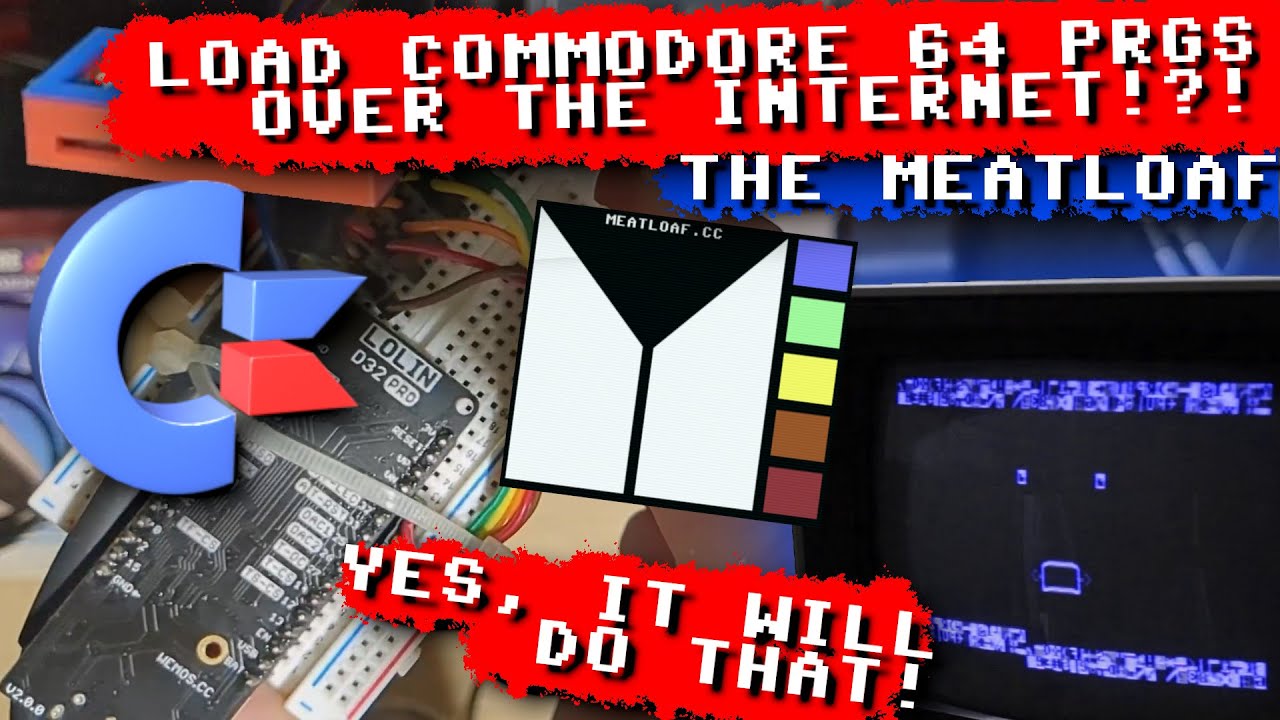
See also the Build Meatloaf wiki page for wiring detail.
Open flash.meatloaf.cc in Chrome, Brave, or Edge, plug the Meatloaf into a USB port, and click "Connect", select a previous firmware if you'd like then "Bake Meatloaf!". That is the whole procedure — a current, tested build lands on your device in about a minute. No toolchain, no clone, no compiler, nothing to configure first.
Connect to WiFi afterwards from the serial terminal that pops up or from BASIC.
Only needed if you are bringing up an undocumented board, changing which features are compiled in, or working on Meatloaf itself: Building the firmware.
The format and protocol lists above describe a default build, which is what the web flasher installs — every format and every fast loader, on ESP32 and ESP32-S3 alike. Two things still vary by board:
MIN_CONFIGboards — the small-flash ESP32-WROOM32 class, with no PSRAM — are the exception. They drop the archive layer, the tape engine, SMB/SFTP/NFS/AFP, the flux and CMD/IDE64 image formats, and the JSON/QR/hash transforms. The CBM disk images, HTTP/FTP/TNFS/FSP and the fast loaders all stay.- PSRAM matters. Tape decoding,
.p64/.p81flux decoding, Wraptor extraction and FTPS all want it, whatever the board.
If you are compiling your own and need to trade a feature for flash space, every switch is listed with what it costs in Building the firmware § Feature gates.
HTTP doesn't support listing files, but since for Commodore a directory is just a file you can
LOAD, it's enough to add this tiny PHP script to your HTTP server to get a file listing as if you
were reading a diskette! All you need is some web space on a server with PHP enabled. Just drop the
following script in a directory with all your files and name it index.php:
Once that is done you can get a directory listing on your Commodore with a standard LOAD command, as
the script serves the $ file formatted as BASIC v2 code.
LOAD"HTTP://YOURDOMAIN.COM/PATH",8
Please read the Meatloaf Wiki for more usage tips!
Building the firmware from source, and every feature gate: Link
Adding new file systems to Meatloaf: Link
Writing C64 programs that use Meatloaf's full-mode HTTP client (BASIC, C, assembly): Link