
A self-hosted media tracker for movies, TV shows, music, podcasts, anime, manga, video games, books, comics, and board games—optimized for daily use with a focus on performance, mobile experience, and real-world usability.
This fork takes Yamtrack's solid foundation and enhances it for daily usability. While maintaining the core feel of the original, it adds:
- Faster navigation on large libraries through intelligent caching
- Better mobile experience with PWA support and responsive layouts
- More "what should I watch next?" tooling like Time Left sorting and recommendations
- Real-world stability with fixes for iOS/PWA issues, SQLite locking, and edge cases
- Additional media types (board games, music, podcasts) so you don't need multiple tracking apps
Perfect for former Trakt users looking for a self-hosted alternative, or anyone who wants a snappier, more feature-rich media tracking experience.
If you're coming from Trakt, here's what you'll recognize and love:
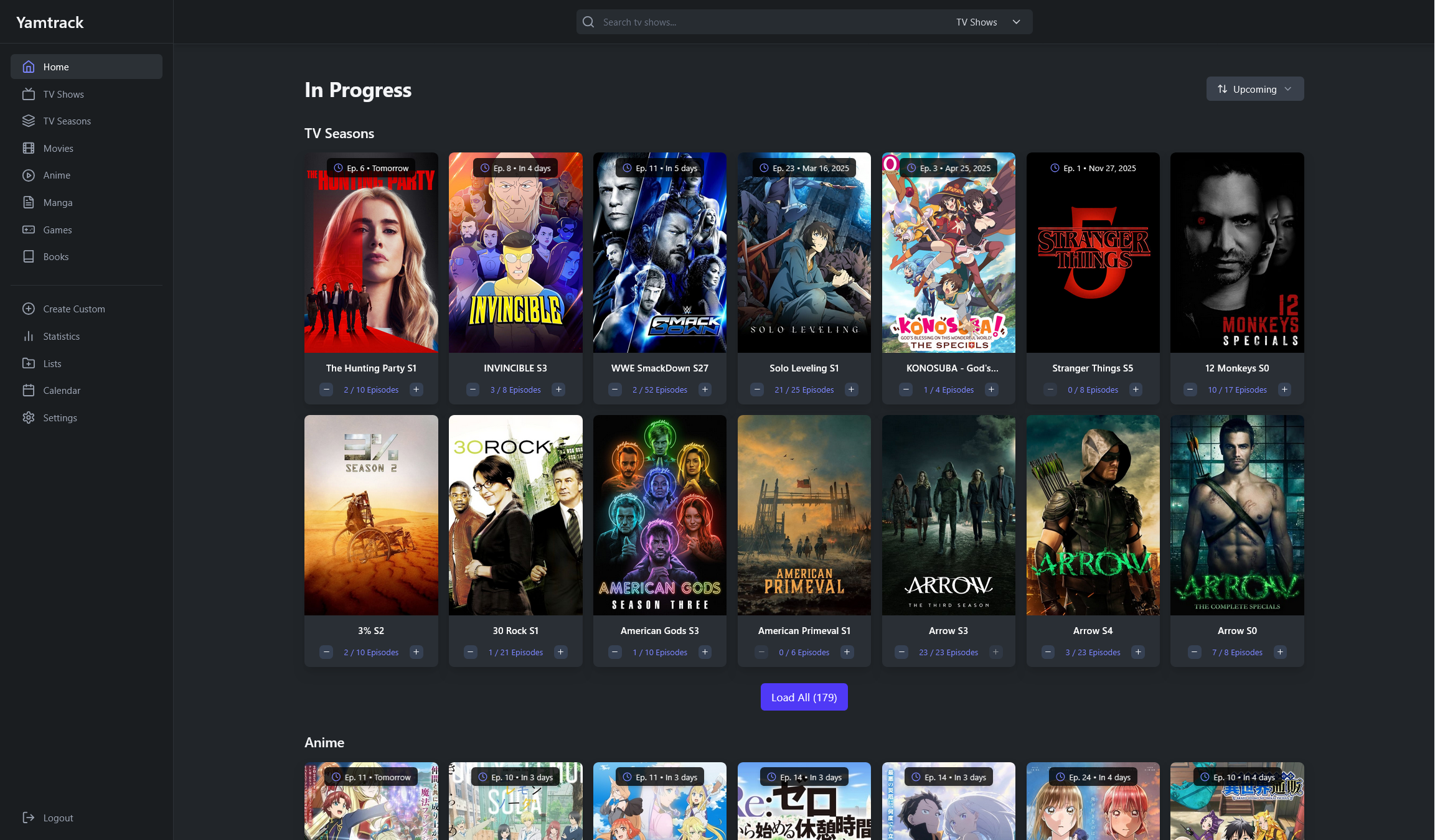
Trakt-style "Progress" page that mixes In Progress + Planning, then Completed, then Dropped, sorted by time left.

A clean, single place to see everything you watched or listened to—without hopping between media types or digging through detail pages.

Drill into extra plays to understand a show/genre's history, and quickly spot/remove duplicate plays.

Year-in-review + all-time style stats with the kind of depth Trakt users expect (and actually want to browse).

Share your best lists, keep the link simple, and get recommendations based on what you share.

Beyond the originals: music + podcasts (and more), so your tracking isn't split across multiple apps.

The easiest way to get started is with Docker Compose. This works great with Portainer stacks or standalone Docker.
For SQLite (simple setup):
services:
  yamtrack:
    image: ghcr.io/dannyvfilms/yamtrack:latest
    container_name: yamtrack
    restart: unless-stopped
    depends_on:
      - redis
    environment:
      - SECRET=your-secret-key-here-change-this
      - REDIS_URL=redis://redis:6379
      - TZ=America/New_York  # Your timezone
    volumes:
      - ./db-sqlite:/yamtrack/db
    ports:
      - "8000:8000"

  redis:
    image: redis:8-alpine
    container_name: yamtrack-redis
    restart: unless-stopped
    volumes:
      - redis_data:/data

volumes:
  redis_data:
Save this as docker-compose.yml and run:
docker compose up -dThen visit http://localhost:8000 and create your admin account.
For PostgreSQL (production setup):
Use docker-compose.postgres.yml from the repository, which includes a PostgreSQL database container.
It uses a dedicated postgres_data volume so it won't conflict with the SQLite ./db-sqlite folder.
If you prefer a simple one-liner without docker compose:
docker network create yamtrack-net

docker run -d \
  --name yamtrack-redis \
  --network yamtrack-net \
  --restart unless-stopped \
  -v yamtrack-redis-data:/data \
  redis:8-alpine

docker run -d \
  --name yamtrack \
  --network yamtrack-net \
  --restart unless-stopped \
  -e TZ=America/New_York \
  -e SECRET=your-secret-key-here-change-this \
  -e REDIS_URL=redis://yamtrack-redis:6379 \
  -v yamtrack-db:/yamtrack/db \
  -p 8000:8000 \
  ghcr.io/dannyvfilms/yamtrack:latest
Note: This setup uses named volumes (yamtrack-db and yamtrack-redis-data) and a shared network (yamtrack-net). For docker compose with more options, see the Docker Compose section above.
- In Portainer, go to Stacks → Add Stack
- Name it
yamtrack - Paste the docker compose configuration above
- Update the
SECRETenvironment variable with a secure random string - Deploy the stack
The only required variable is SECRET (a long random string for Django's secret key).
Optional but recommended:
TMDB_API- For movie/TV metadata (get from TMDB)MAL_API- For anime metadata (get from MyAnimeList)IGDB_ID/IGDB_SECRET- For game metadata (get from IGDB)STEAM_API_KEY- For Steam game importsBGG_API_TOKEN- For board game metadata (get from BoardGameGeek)URLS- Your public URL if using a reverse proxy (e.g.,https://yamtrack.mydomain.com)ADMIN_ENABLED- Set toTrueto enable the Django admin interface at/admin/(see Admin Page documentation for setup instructions)
For a complete list, see the Environment Variables documentation.
Example .env file:
TMDB_API=API_KEY
MAL_API=API_KEY
IGDB_ID=IGDB_ID
IGDB_SECRET=IGDB_SECRET
STEAM_API_KEY=STEAM_API_SECRET
BGG_API_TOKEN=BGG_API_TOKEN
SECRET=SECRET
DEBUG=TrueIf you're using a reverse proxy (Nginx, Traefik, Caddy, etc.) and see a 403 Forbidden error, add your URL to the environment variables:
environment:
  - URLS=https://yamtrack.mydomain.com
Multiple origins can be specified with commas: https://yamtrack.mydomain.com,https://yamtrack-alt.mydomain.com
Music Library Support:
- Track albums, artists, and individual tracks
- Automatic scrobbling from Plex Music and Last.fm
- MusicBrainz integration for rich metadata
- Album artwork from iTunes
- Artist discography views
- Search and browse your music library
Podcast Tracking:
- Track podcast shows and episodes
- Pocket Casts integration with automatic imports
- RSS feed support for podcast metadata
- Episode completion tracking
- Scheduled imports every 2 hours
A complete rewrite focused on fast, intuitive browsing of your media history:
- Month-based navigation - Jump between months easily
- Per-day caching - Large histories load instantly
- Background refresh - Updates happen automatically without blocking
- Mobile-optimized - Works great on phones and tablets
- Filter by media type - Certain pages take you to filtered versions of history
- Clean, readable layout - Focus on what you actually watched/listened to
Perfect for answering "What did I watch last month?" or "When did I finish that show?"
A comprehensive statistics dashboard with cached results for fast loading:
- Multiple time ranges: Last 7 Days, Last 30 Days, Last 12 Months, All Time
- Media type distribution (in hours, not just counts)
- Daily activity charts - See your consumption patterns
- Score distributions - Understand your rating habits
- Genre breakdowns - What genres do you actually consume?
- Streak tracking - How consistent are your viewing habits?
- Most active day - When do you consume the most media?
All statistics are cached and refresh in the background, so pages load quickly even with years of data.
Enhanced List Features:
- Public list sharing - Share your lists with simple URLs
- List recommendations - Get suggestions based on your lists
- Advanced sorting - Sort by rating, date, and more
- Filter by content - Find lists faster
- List activity tracking - See when lists are updated
- Import from Trakt - Import your custom lists from Trakt
Enhanced Book Features:
- Barcode scanner - Photo upload barcode scanner for ISBN-13 detection
- Percentage progress - Track reading progress as percentage (0-100) instead of pages/issues/chapters for books, comics, and manga, perfect for ebooks where page counts vary
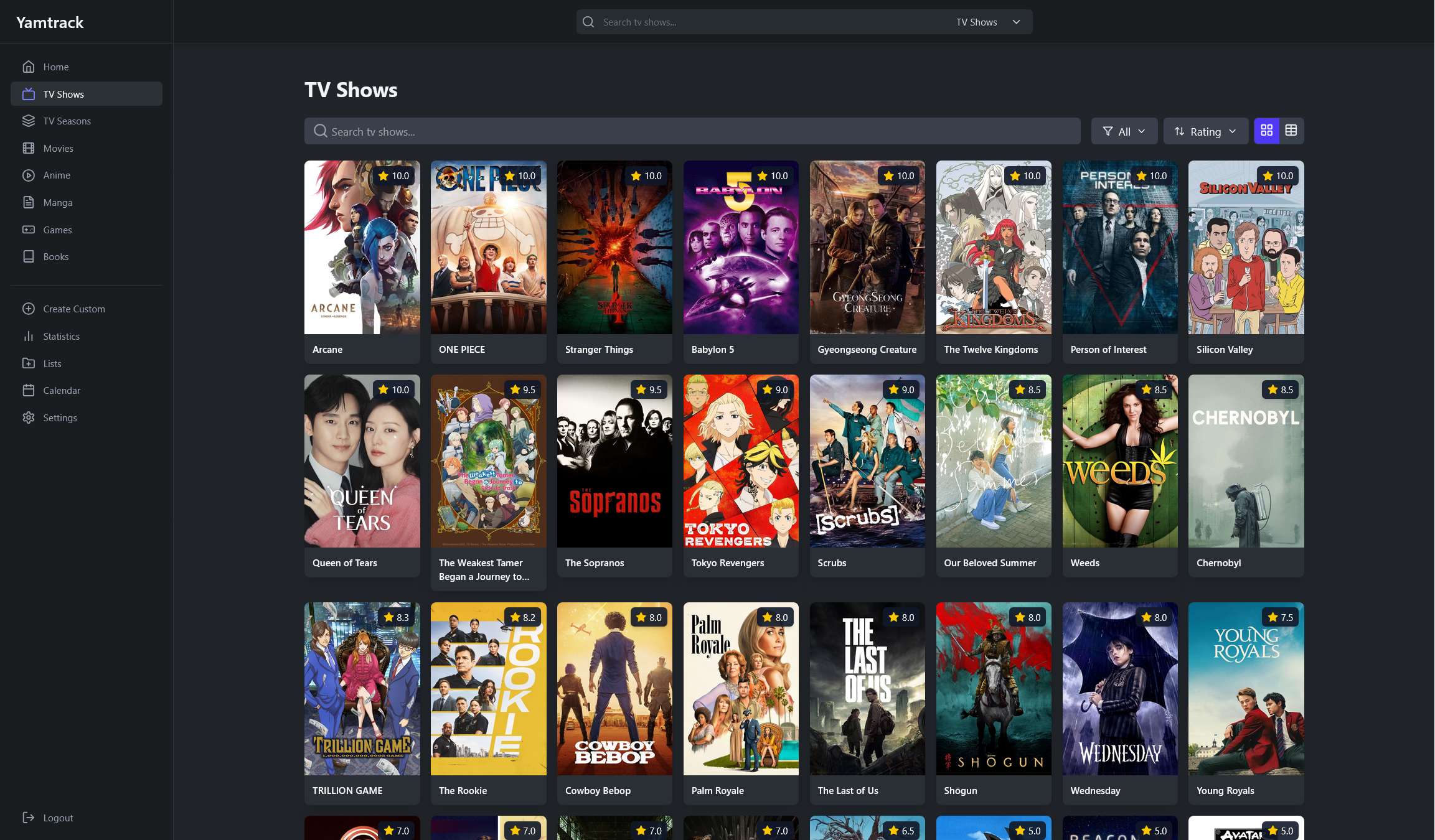
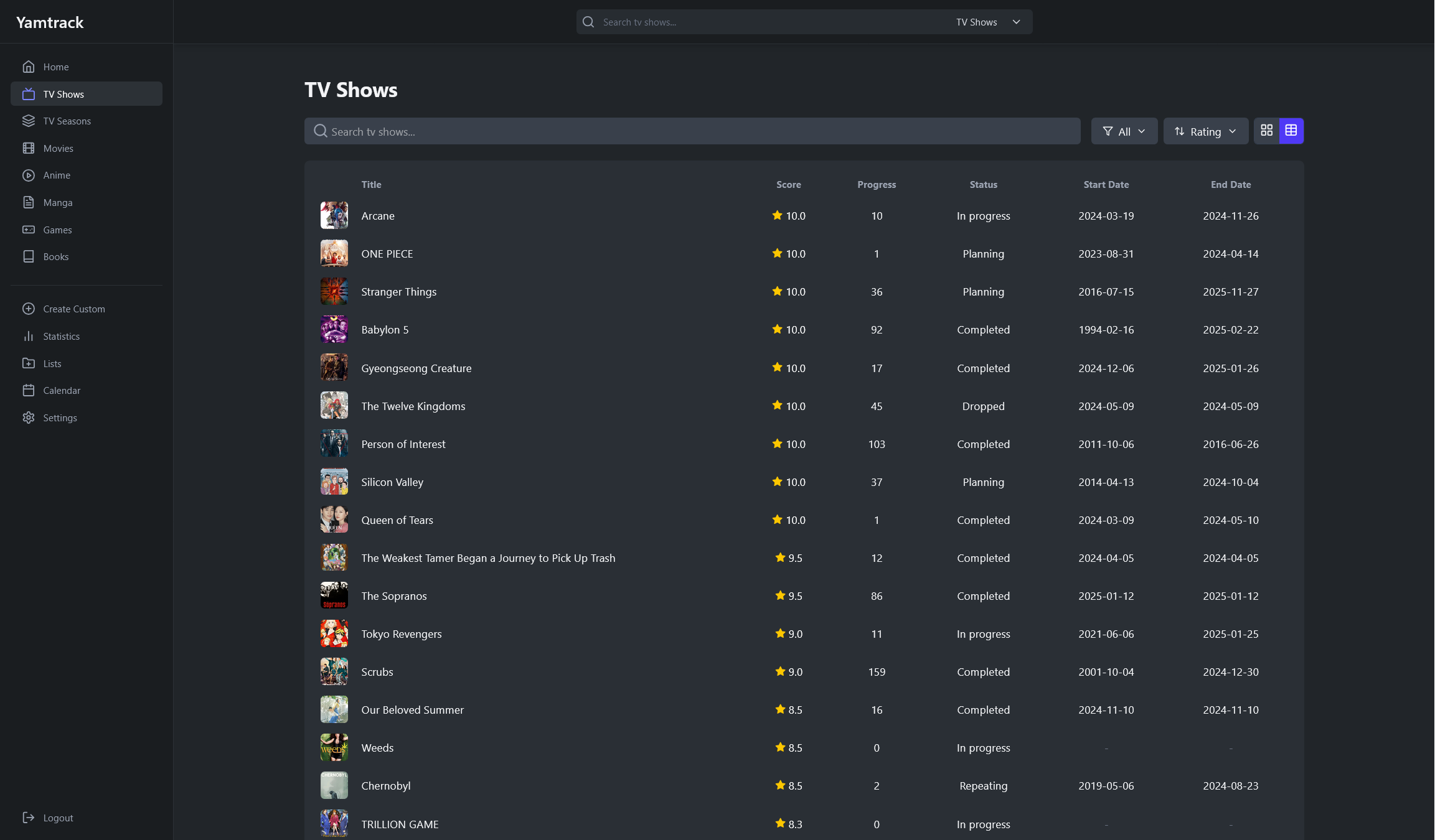
Backlog-friendly TV sorting - Sort your TV shows by "Time Left" to see what's closest to completion. Perfect for clearing your backlog efficiently.
Mobile Optimizations:
- Compact vs Comfortable grids - Choose your preferred mobile layout
- PWA support - Install as an app on your phone
- Touch-friendly controls - No more tap-fights with overlays
- Responsive navigation - Everything works great on small screens
- Mobile-specific preferences - Customize your mobile experience
Customize Everything:
- Enable/disable media types you don't use
- Choose date and time formats (including YYYY-MM-DD)
- Set default sort options for home and lists
- Configure auto-pause for stale items
- Mobile layout preferences
- And much more
Plex Integration:
- Improved import workflow
- Better webhook handling
- Edge case fixes (GUID quirks, SQLite locking)
- Auto-pause for stale in-progress items
- Rating sync - Sync user ratings from Plex library items during import, or manually via the "Sync Metadata" button on media details pages. Note: While webhook support for
media.rateevents is implemented, Plex may not reliably send these events (varies by server version and client app). The import and manual sync methods provide reliable rating synchronization.
Pocket Casts:
- OAuth authentication
- Scheduled automatic imports
- Better completion inference
- Podcast artwork fetching
Last.fm Integration:
- Automatic scrobbling from Last.fm
- Polls listening history every 15 minutes
Trakt Integration:
- Import your watch history
- Import your public and private lists
- Share your lists with the public
Other Integrations:
- Jellyseerr webhook support
- Enhanced Emby/Jellyfin webhooks
- Improved import stability
See everything you watched or listened to in one place, organized by day and month.


Comprehensive statistics with multiple time ranges and detailed breakdowns.


All the core features from the original Yamtrack are still here:
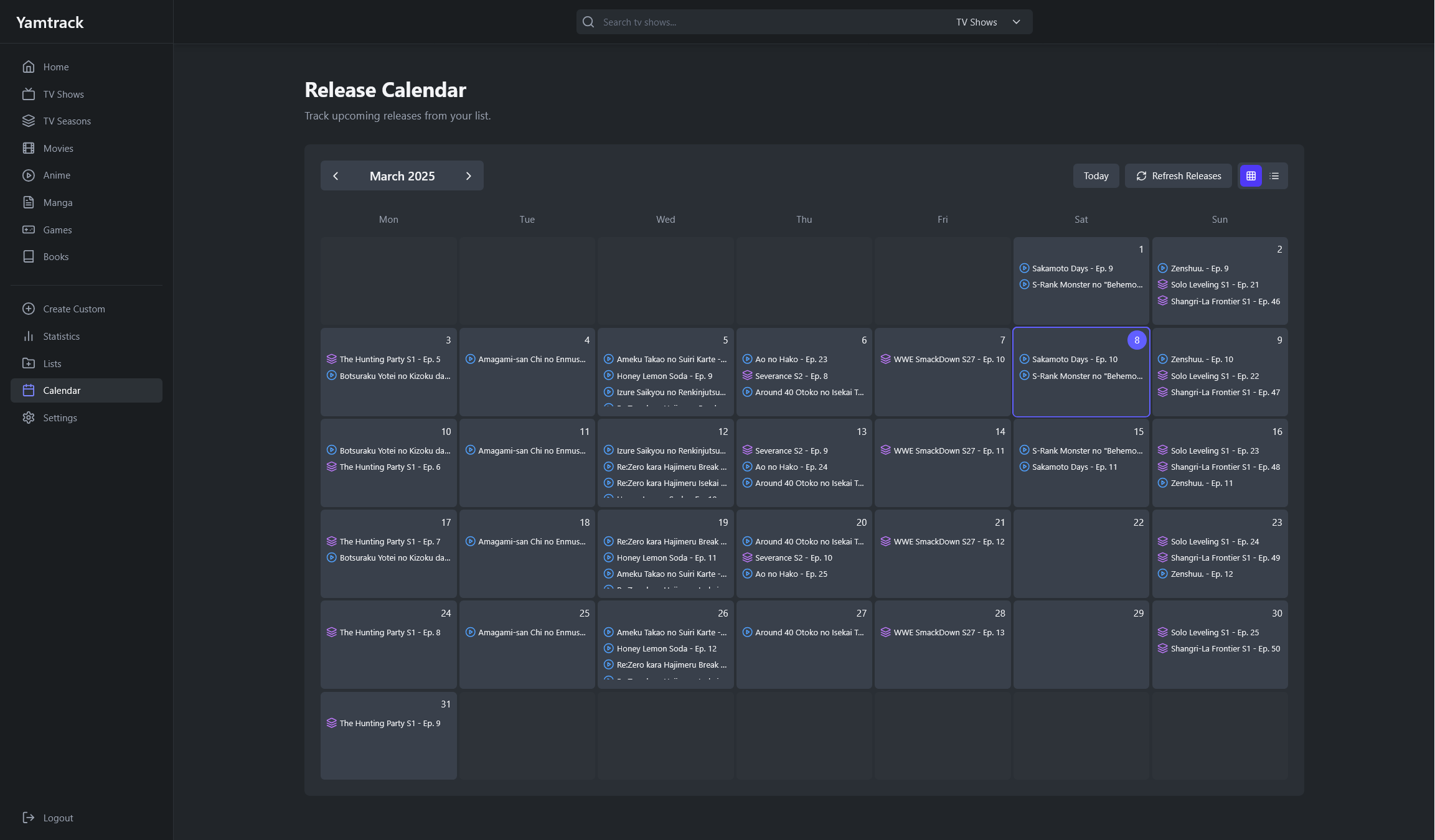
| Homepage | Calendar |
|---|---|
 |
 |
| Media List Grid | Media List Table |
|---|---|
 |
 |
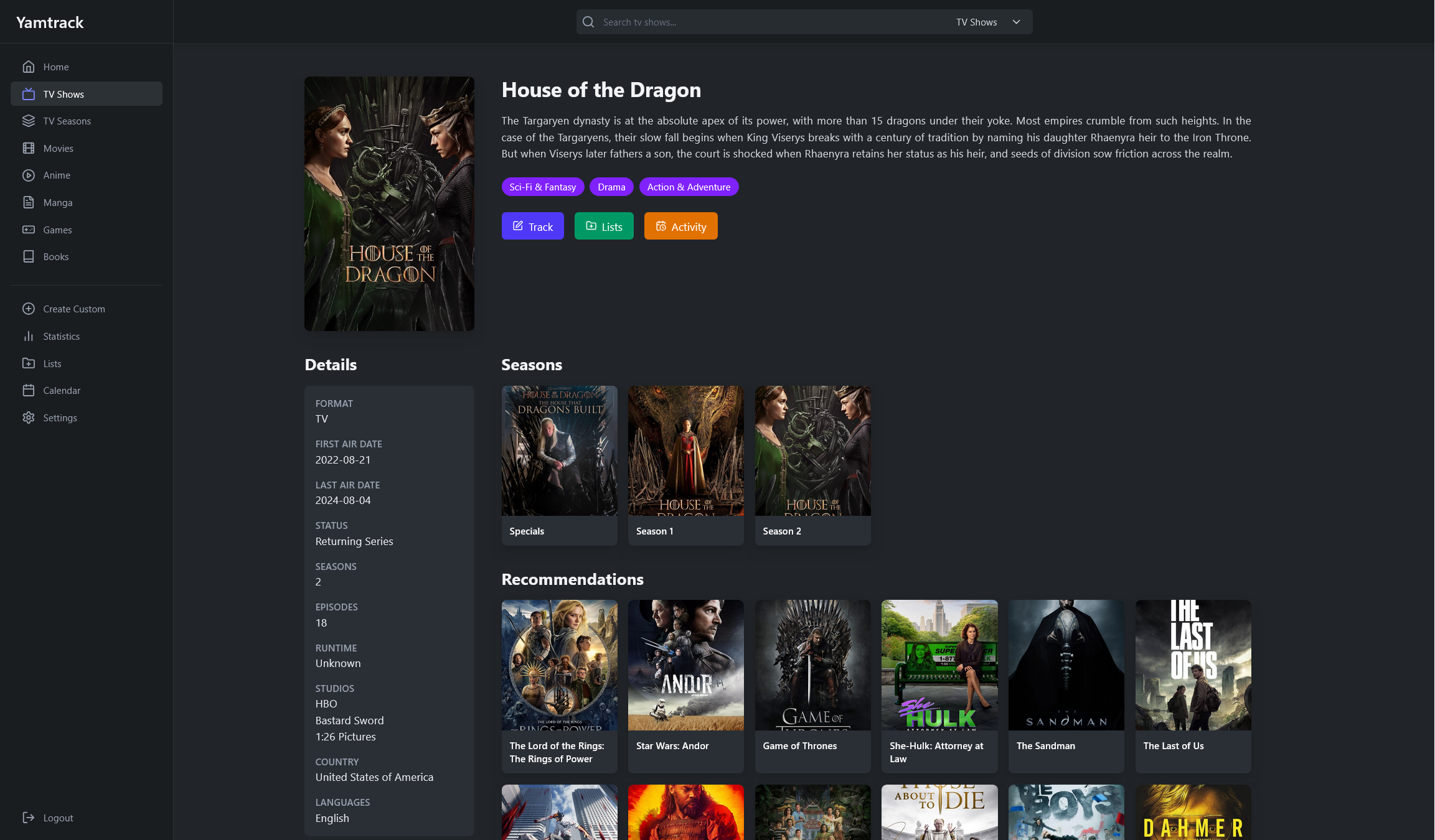
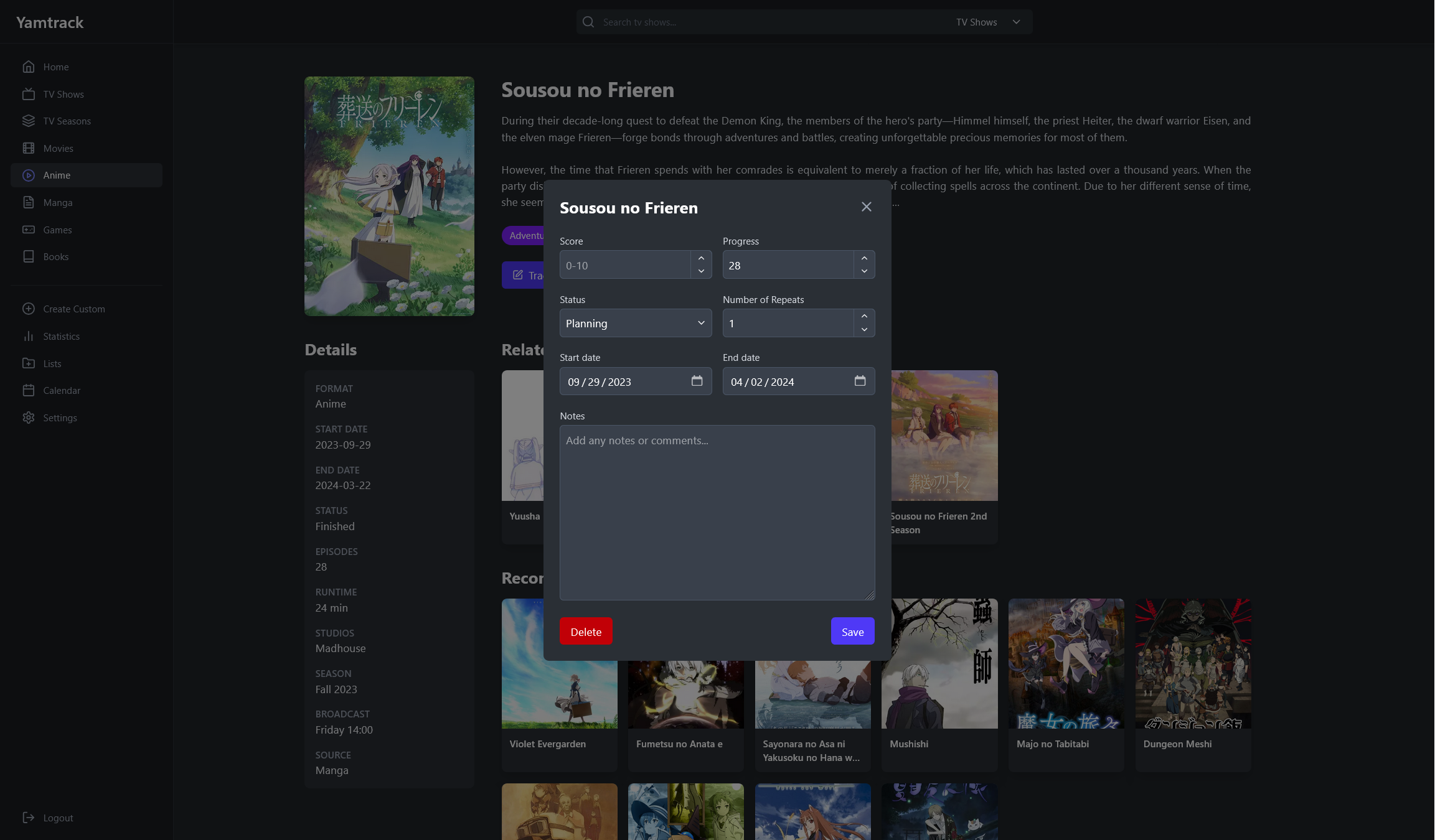
| Media Details | Tracking |
|---|---|
 |
 |
Beyond the major features, this fork includes hundreds of small improvements that make daily use more pleasant:
- Barcode scanner for books - Quick ISBN-13 scanning via photo upload (perfect for iOS/PWA)
- Z-index fixes - Buttons and overlays work correctly on all pages
- Better card layouts - 1:1 aspect ratio for music/podcasts, improved game stats cards
- Runtime data - Accurate time-left calculations using actual episode runtimes
- Data validation - Music library validation, runtime checks, better error handling
- Performance - Caching infrastructure means pages load faster
- Stability - Fixes for iOS/PWA refresh loops, SQLite locking, edge cases
- Sorting improvements - Remember sort directions, better aggregate behavior
- Filtering - Filter lists by content, history by media type, games by genre
The Docker image is available at ghcr.io/dannyvfilms/yamtrack with the following tags:
:latest- Points to the stable release branch (default):release- Explicit tag for the release branch:dev- Exact copy of upstream repo (FuzzyGrim/Yamtrack)
If you want to contribute or customize:
-
Clone the repository:
git clone https://github.com/dannyvfilms/Yamtrack.git cd Yamtrack -
Start Redis:
docker run -d --name redis -p 6379:6379 --restart unless-stopped redis:8-alpine
-
Create
.envfile:TMDB_API=your_key MAL_API=your_key IGDB_ID=your_id IGDB_SECRET=your_secret STEAM_API_KEY=your_key SECRET=your_secret DEBUG=True
-
Install dependencies and run:
python -m pip install -U -r requirements-dev.txt cd src python manage.py migrate python manage.py createsuperuser -
Start services (in separate terminals):
# Django server
python manage.py runserver

# Celery worker
celery -A config worker --beat --scheduler django --loglevel DEBUG

# Tailwind CSS watcher
tailwindcss -i ./static/css/input.css -o ./static/css/main.css --watch
Visit http://localhost:8000 to see your local instance.
Try the app at yamtrack.dannyvfilms.com using:
- Username:
demo - Password:
demodemo
All the original Yamtrack features are preserved:
- 🎬 Track movies, TV shows, anime, manga, games, books, comics, board games, music, and podcasts
- 📺 Track each season of a TV show individually and episodes watched
- ⭐ Save scores, status, progress, repeats, start/end dates, notes
- 📈 Complete tracking history with timestamps for every action
- ✏️ Create custom media entries for niche content
- 📂 Create personal lists and collaborate with others
- 📅 Calendar with iCalendar (.ics) subscription support
- 🔔 Release notifications via Apprise (Discord, Telegram, ntfy, Slack, email, etc.)
- 👥 Multi-user support with individual accounts
- 🔑 OIDC and 100+ social providers (Google, GitHub, Discord, etc.)
- 🦀 Integration with Jellyfin, Plex, and Emby for automatic tracking
- 📥 Import from Trakt, Simkl, MyAnimeList, AniList, Kitsu, and more
- 📊 Export/import CSV files
Show your support by starring the repository on GitHub!
Found a bug? Open an issue with detailed steps to reproduce.
Have ideas? Share them through GitHub issues.
Pull requests are welcome! Whether it's fixing bugs, improving documentation, or adding features, your contributions help make Yamtrack better.
This project is licensed under the AGPL-3.0 License.
This fork is based on FuzzyGrim/Yamtrack, an excellent self-hosted media tracker. This fork adds enhancements focused on daily usability, performance, and additional media types while maintaining compatibility with the core application.