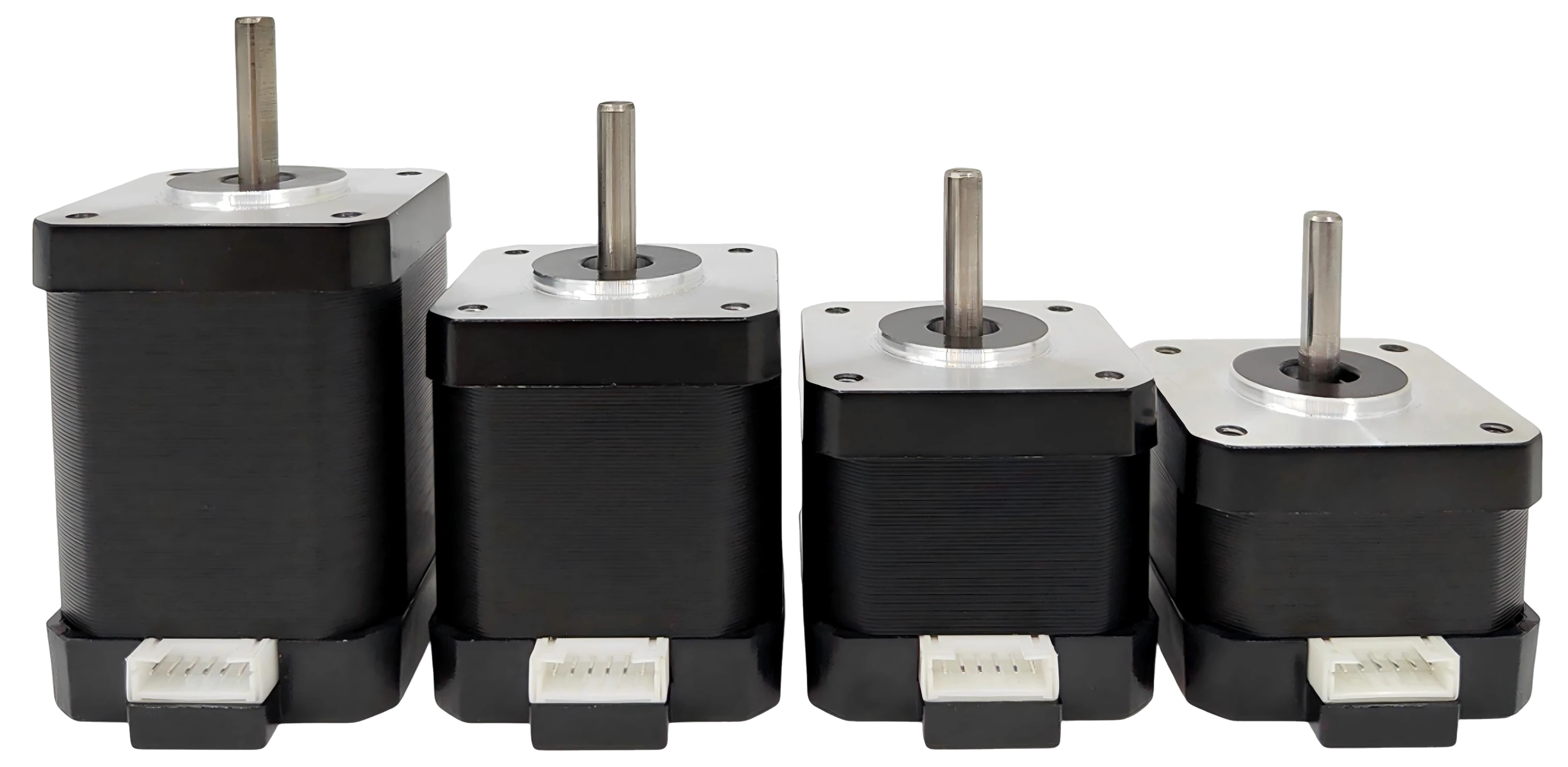
The M17 is a NEMA-17 integrated servomotor: motor, closed-loop driver, motion controller and magnetic encoder in one unit. It daisy-chains over RS-485, ships with Python and Arduino libraries, and has a first-party MCP server so an AI assistant (Claude Desktop, Claude Code, Cursor, …) can drive real motors from plain English.
Hardware, firmware and software are all in this repository under the MIT license.
| M17-34 | M17-40 | M17-48 | M17-60 | |
|---|---|---|---|---|
| Length | 33.5 mm | 40.1 mm | 48.7 mm | 59.7 mm |
| Holding torque | 0.28 N·m | 0.42 N·m | 0.55 N·m | 0.65 N·m |
| Weight | 210 g | 285 g | 360 g | 470 g |
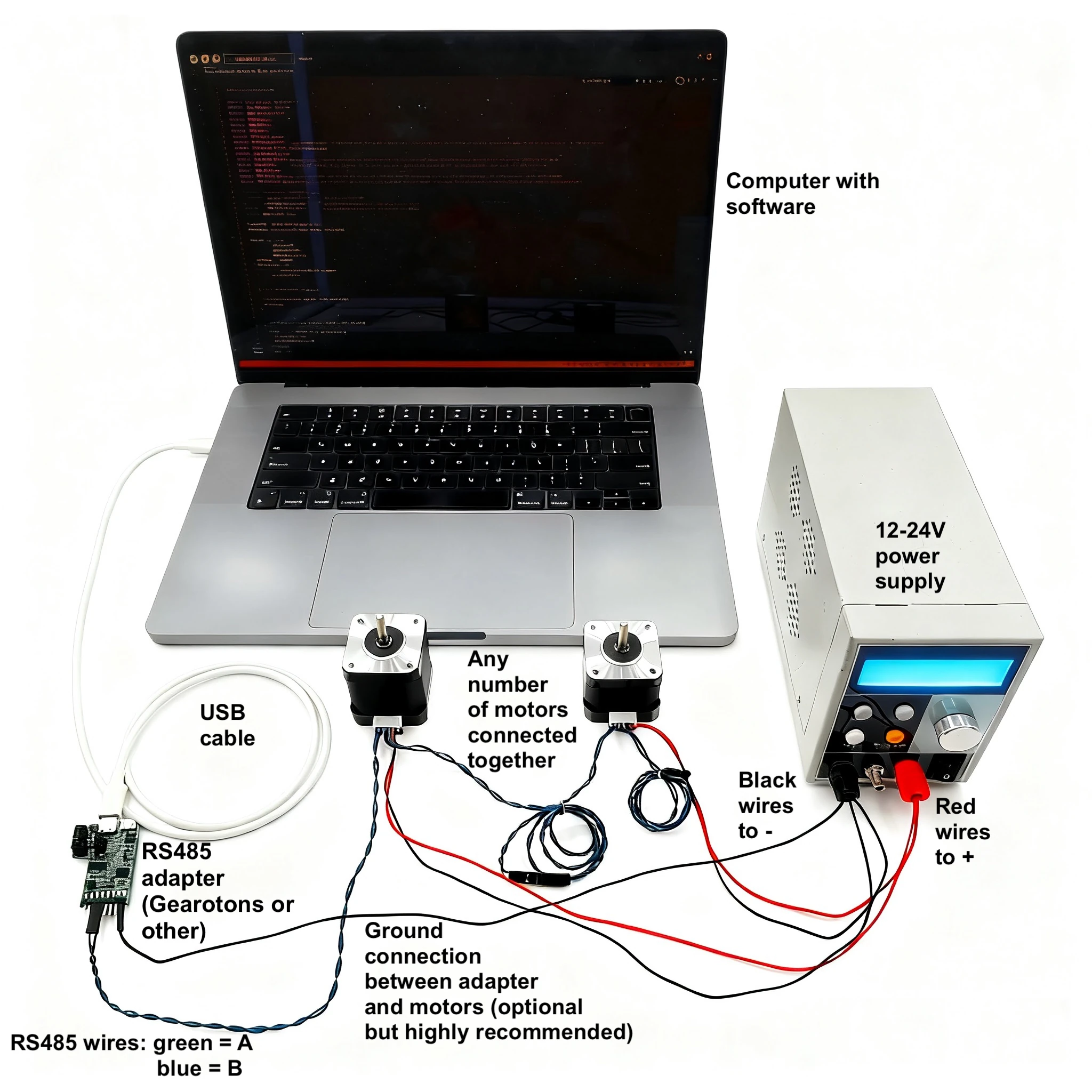
All sizes: 12–24 V, up to ~1.1 A, up to 560 RPM, closed-loop 32 kHz control, RS-485 at 230400 baud, 64-bit unique ID + one-byte alias per motor, standard NEMA-17 mount. Indoor use (IP20).
Buy one: gearotons.com (from $20; ships worldwide from Shenzhen). Documentation: 9o.at/M17_1.5 · Datasheet (PDF) · Python API · Arduino API
pip install servomotorimport time, servomotor
servomotor.open_serial_port() # prompts for the USB–RS-485 adapter the first time
m = servomotor.M3("X", time_unit="seconds", position_unit="shaft_rotations")
m.enable_mosfets()
m.trapezoid_move(1.0, 1.0) # one full turn, in one second
time.sleep(1.1)
m.disable_mosfets()
servomotor.close_serial_port()That is python_programs/example_trapezoid_move.py.
Units are yours to choose (degrees, rotations, radians, encoder counts; seconds or milliseconds) —
the library converts. No STEP/DIR timing, no microstep configuration.
Install the Servomotor library by Gearotons from the Arduino Library Manager, or from
Arduino_library/. Wire the board's UART to an RS-485 transceiver, then:
#include <Servomotor.h>

void setup() {
  Servomotor motor('X', Serial1);                  // alias 'X'; the port opens on first use
  motor.setPositionUnit(PositionUnit::SHAFT_ROTATIONS);
  motor.setTimeUnit(TimeUnit::SECONDS);
  motor.enableMosfets();
  motor.trapezoidMove(2.0f, 3.0f);                 // two rotations over three seconds
  delay(4000);
  Serial.println(motor.getPosition());             // where it actually is, from the encoder
}
void loop() {}
That is a trimmed Arduino_library/example_one_move.cpp
(the full file adds the ESP32 RS-485 pin definitions).
uvx --from servomotor-mcp servomotor-mcp # runs with a simulated motor if no hardware is attachedAdd it to Claude Desktop or run claude mcp add gearotons-motor -- uvx --from servomotor-mcp servomotor-mcp,
then ask: "Find my motors, then move the one on the bench to 90 degrees and tell me where it ended up."
Details and the full tool list: Gearotons/servomotor-mcp.
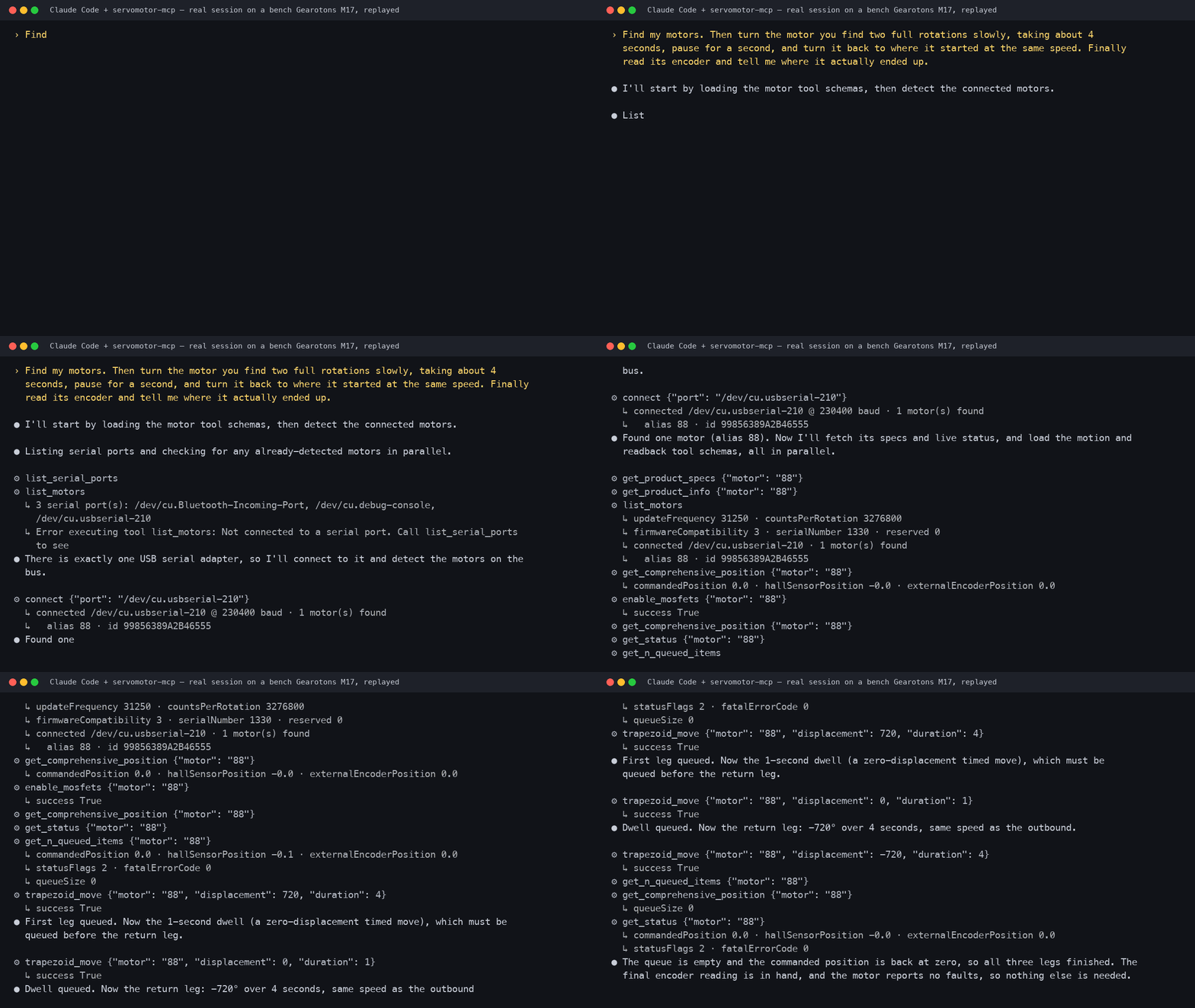
▶ 50-second video: the real motor and this session side by side (recorded 2026-09-09 on a bench M17).
| Folder | Contents |
|---|---|
firmware/ |
Motor firmware (STM32G0), plus bootloader_STM32G030/ and bootloader_STM32G031/ |
PCB/ |
Schematics, board layouts and 3D (STEP) models of the controller board |
python_programs/ |
The servomotor Python library source, examples, test and characterisation scripts |
Arduino_library/ |
The Arduino/ESP32 C++ library and examples |
API_documentation/ |
Generated Python and Arduino API references (Markdown and PDF) |
servomotor_datasheets/ |
Datasheet sources and PDFs (EN, DE, ES, FR, IT, PT), dimension drawings |
production_test_system/, motor_tests/ |
How we test motors before they ship |
marketting_page/ |
Source of the gearotons.com product page |
The command set is data-driven: every firmware command is defined once in
motor_commands.json and the Python library, the Arduino library and the MCP server are generated
from it, so they always agree.
Direct-drive torque tops out at 0.65 N·m (gear it or go up a frame size for more), it is IP20 and indoor-only, and it is not a STEP/DIR drop-in for an existing 3D-printer board — it wants a serial bus and a host that sends it moves. We would rather you know that before you buy.
Questions and builds: GitHub Discussions · email info@gearotons.com. Issues and pull requests welcome — the whole stack is here to be read, modified and improved.
Built and assembled by Gearotons in Shenzhen. MIT license — see LICENSE.